ESP32 Cam FTDI Wiring
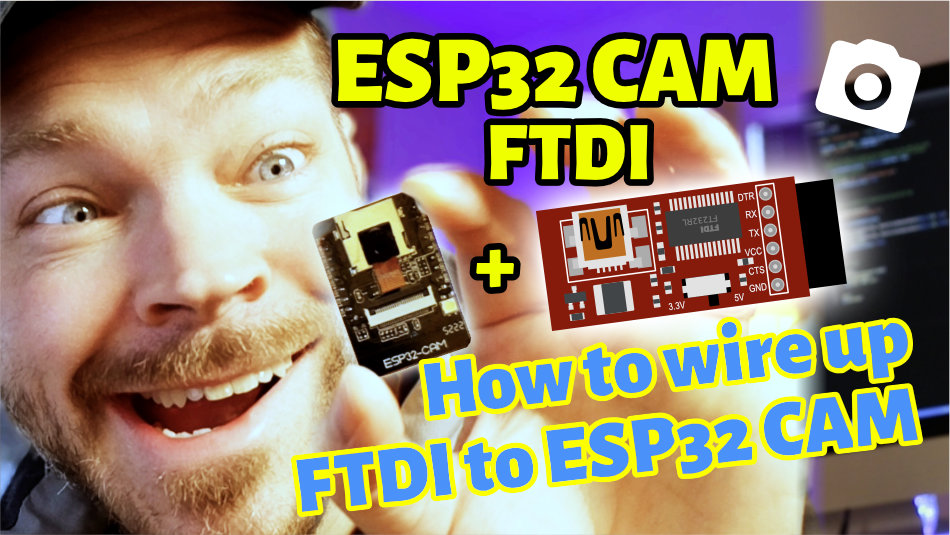
The very popular ESP32 Cam board from AI Thinker does not have a USB port. So how do you get your code onto the board? How do you flash your ESP32 Cam? You need what is called an FTDI.
Today we will take a closer look at what an FTDI is and how to connect an FTDI to the ESP32 Cam.
The key facts summarized for you
How Do You Upload Code to an ESP32 Cam Without a USB Port?
- Not all microcontrollers have a USB port that you can use for programming, for example many ESP32 Cam models.
- If there is no USB port, you can use a so-called FTDI to upload code to the microcontroller.
- An FTDI is a "translator" between the USB and the UART standard.
- When wiring an FTDI, you have to cross-connect the RX and TX pins.

René Aye
Head of Short Circuits @ raydiy
Keeps his herd of microcontrollers supplied with power and lovingly crafted code.
RAYDIY Newsletter
Subscribe now
and get a free eBook!No USB Port! Now What?
There are microcontrollers that do not have a USB port for uploading code to the board. Examples include the Arduino Pro Mini or the very popular ESP32 Cam board from AI Thinker.
Presumably, the USB port is left out to save space and/or cost.
In that case, you have to use a so-called FTDI. Essentially, an FTDI board carries exactly the components that were left out for the space and cost reasons mentioned above: a USB port and a chip that acts as a translator between USB and the microcontroller.
If you want to know which ESP32 Cam models come with a USB port: in my introductory article on the ESP32 Cam, you will find 12 different models in a comparison table. Among other things, I have listed there which models have a USB port.
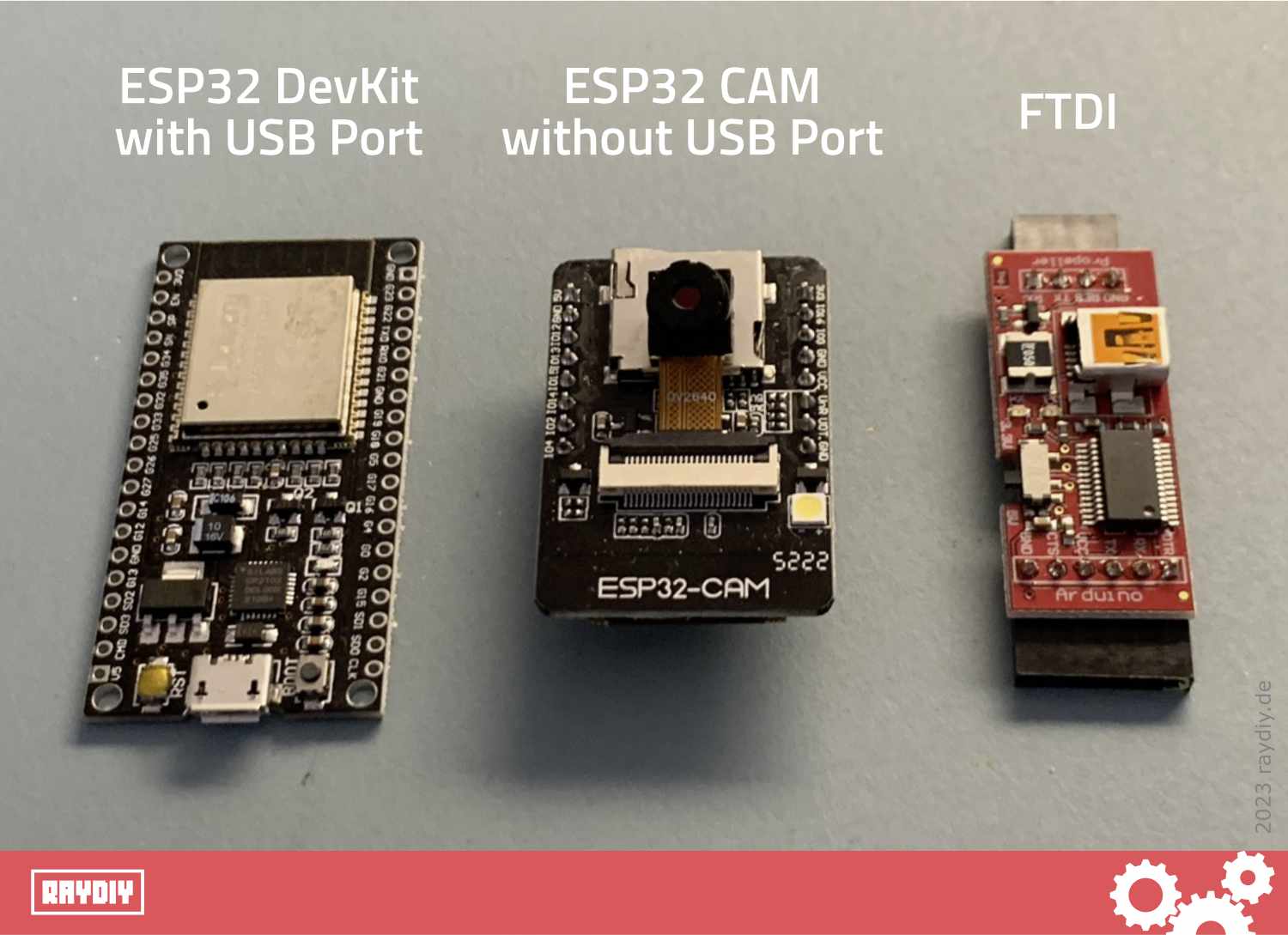
From left: ESP32 DevKit with USB port, ESP32 Cam without USB port, FTDI
AZ Delivery ESP32 Cam*

Amazon Link*
*
This link is an affiliate link. As an Amazon Partner, I earn from qualified sales.
What Is UART and TTL?
Today's computers mainly use USB to communicate with other devices. Microcontrollers like the Arduino and ESP32 communicate using a less complex standard called UART.
UART stands for Universal Asynchronous Receiver/Transmitter. It needs only two wires: one for the receiver and one for the transmitter. That is what the RX and TX pins are for, which you may have already noticed on a microcontroller.
The RX pin of device A is connected to the TX pin of device B, and the TX pin of device A is connected to the RX pin of device B.
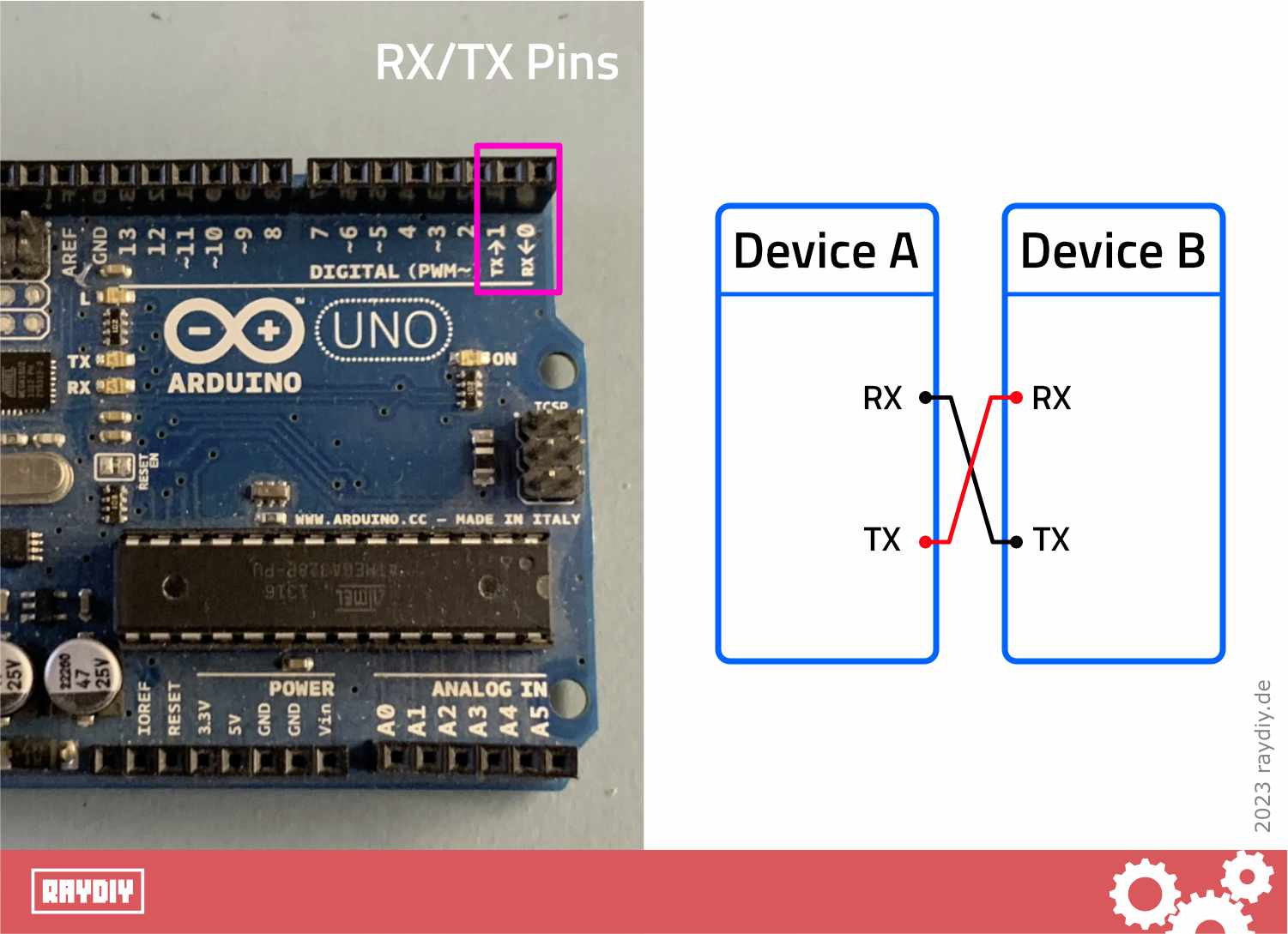
RX and TX pins must be cross-connected.
For our computer (USB) to communicate with the microcontroller (UART), you need an adapter, essentially a translator. That is why FTDIs are also sold as USB-UART adapter, USB-UART bridge or USB-UART cable.
UART uses the so-called TTL protocol (Transistor-Transistor Logic). This is a serial communication protocol, similar to RS232. Since TTL is designed for voltages in the range of 3.3 and 5 volts, while RS232 is designed for around +/-13 volts, the microcontroller world apparently settled on this standard: 3.3 volts and 5 volts are the usual operating voltages of microcontrollers (see also my article: Power Supply for ESP32 and Arduino).
That is why FTDIs are also known as USB-TTL adapter, USB-TTL bridge or USB-TTL cable.
What Does FTDI Stand For?
FTDI is actually the name of a company that specializes in USB solutions. If you take a close look at an FTDI board, you will probably quickly spot its heart: the FT232 chip from FTDI.
So it has apparently become common practice to call these adapter boards FTDIs. It seems to have turned into a generic name (aka deonym), like Kleenex, Sharpie or Gaffa Tape.
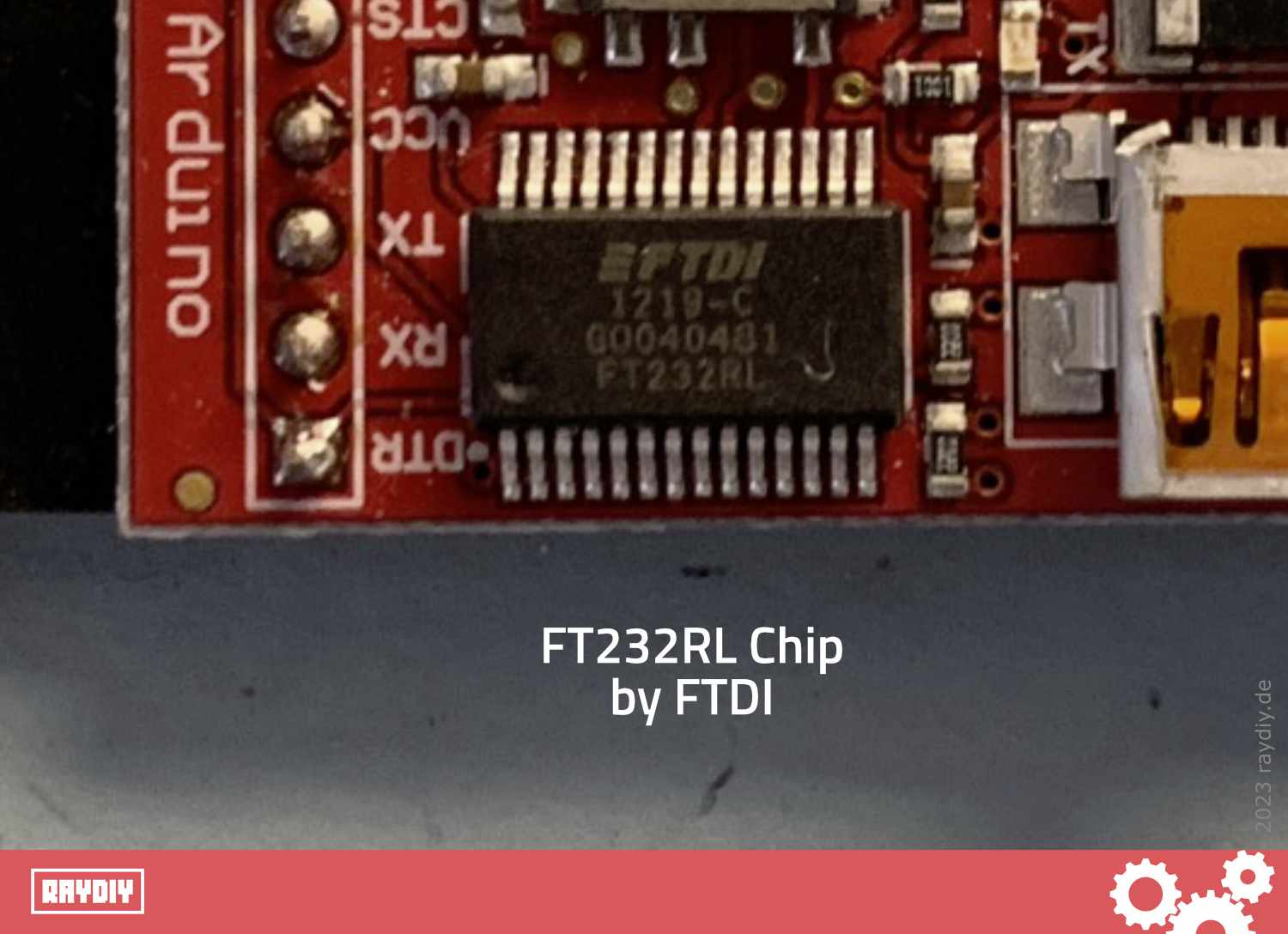
FT232RL chip from FTDI
How to Wire an FTDI to an ESP32 Cam Board
The following diagram shows how to connect the FTDI to the ESP32 Cam board from AI Thinker.
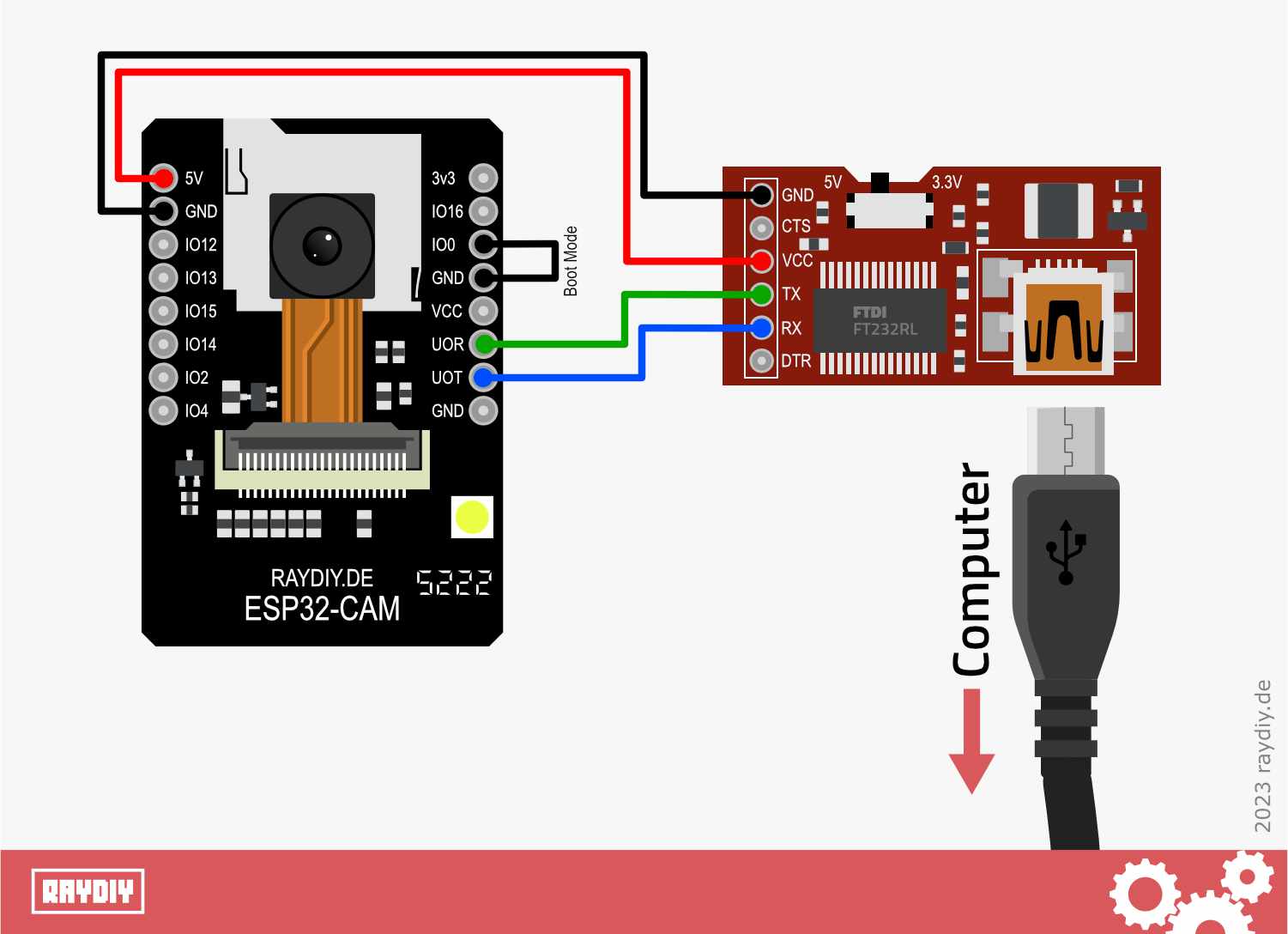
This is how an FTDI is connected to an ESP32 Cam.
The RX pin on the ESP32 Cam board is labeled UOR and the TX pin is labeled UOT. Accordingly, UOR must be connected to the TX pin of the FTDI adapter and UOT to the RX pin of the FTDI adapter.
Pay attention to the pin labels on your FTDI adapter, as the layout is not always the same.
Of course, you also have to connect ground.
Use an FTDI that is designed for 5 volts. I recommend using an FTDI that can be switched between 3.3 volts and 5 volts. In that case, set the FTDI to 5 volts. Then connect the 5 volt pin of the FTDI to the 5 volt pin of the ESP32 Cam board.
Activate ESP32 Cam Boot Mode
Most FTDIs have additional pins labeled DTR and CTS. You can simply ignore them in this case, because the ESP32 Cam from AI Thinker does not break out DTR and CTS pins or uses them differently (this may be different on other ESP32 Cam boards).
That is why the ESP32 Cam cannot be put into boot mode automatically (which is one of the things DTR and CTS are for). Boot mode is required to upload code to the ESP32 Cam board.
To put ESP32 boards into boot mode, GPIO pin 0 usually has to be connected to ground. ESP32 dev boards usually have a boot button for exactly this purpose.
Often the programmer software esptool.py can even handle this automatically. Arduino IDE and PlatformIO use esptool.py under the hood to upload code to the microcontroller. Then you don't even have to press the boot button.
With the ESP32 Cam from AI Thinker, however, we have to activate boot mode by hand. I crimped a small jumper cable for this (the white cable in the picture below). If your ESP32 Cam board has pin headers, this lets you easily connect the two corresponding pins IO0 and GND.
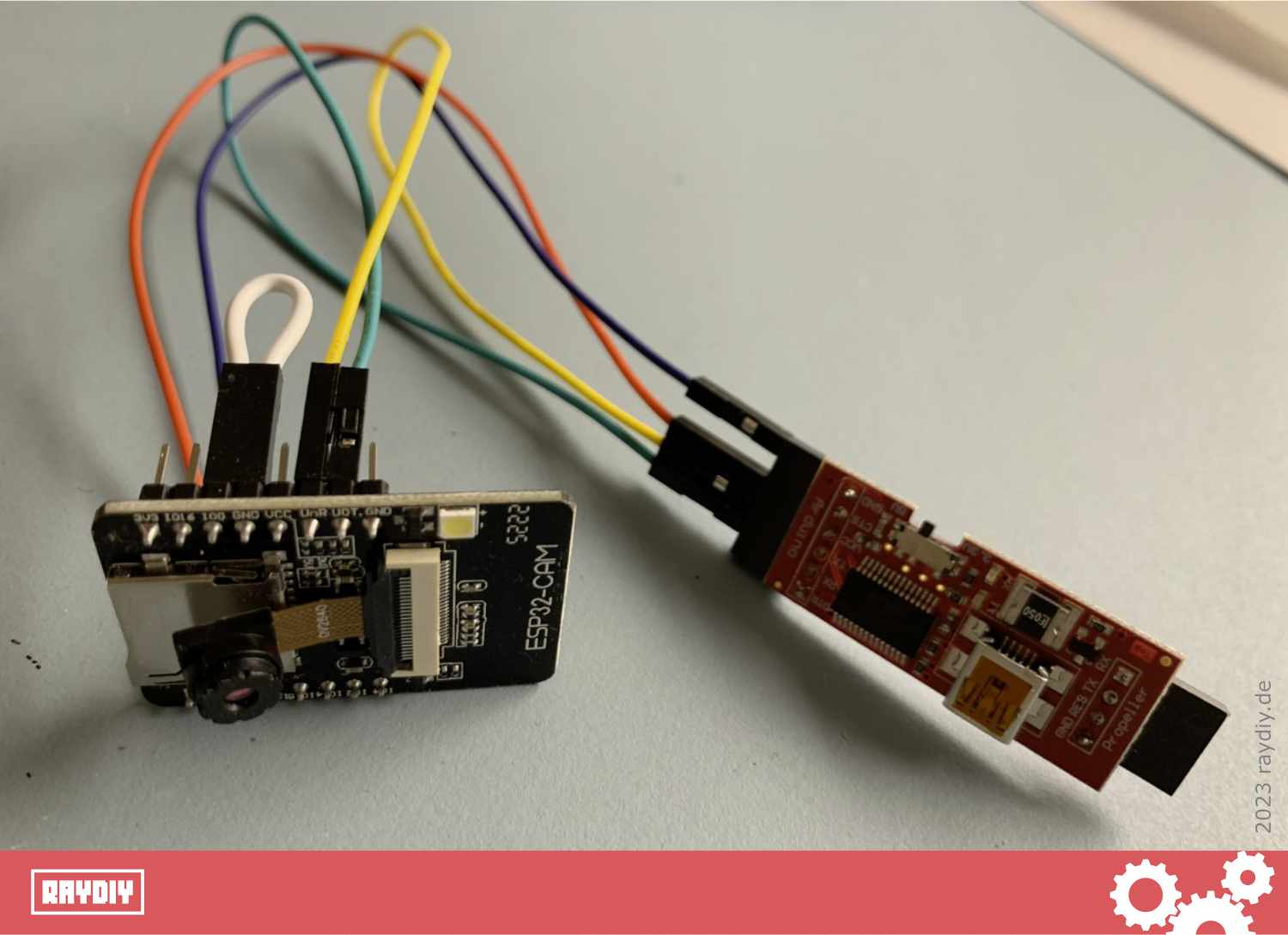
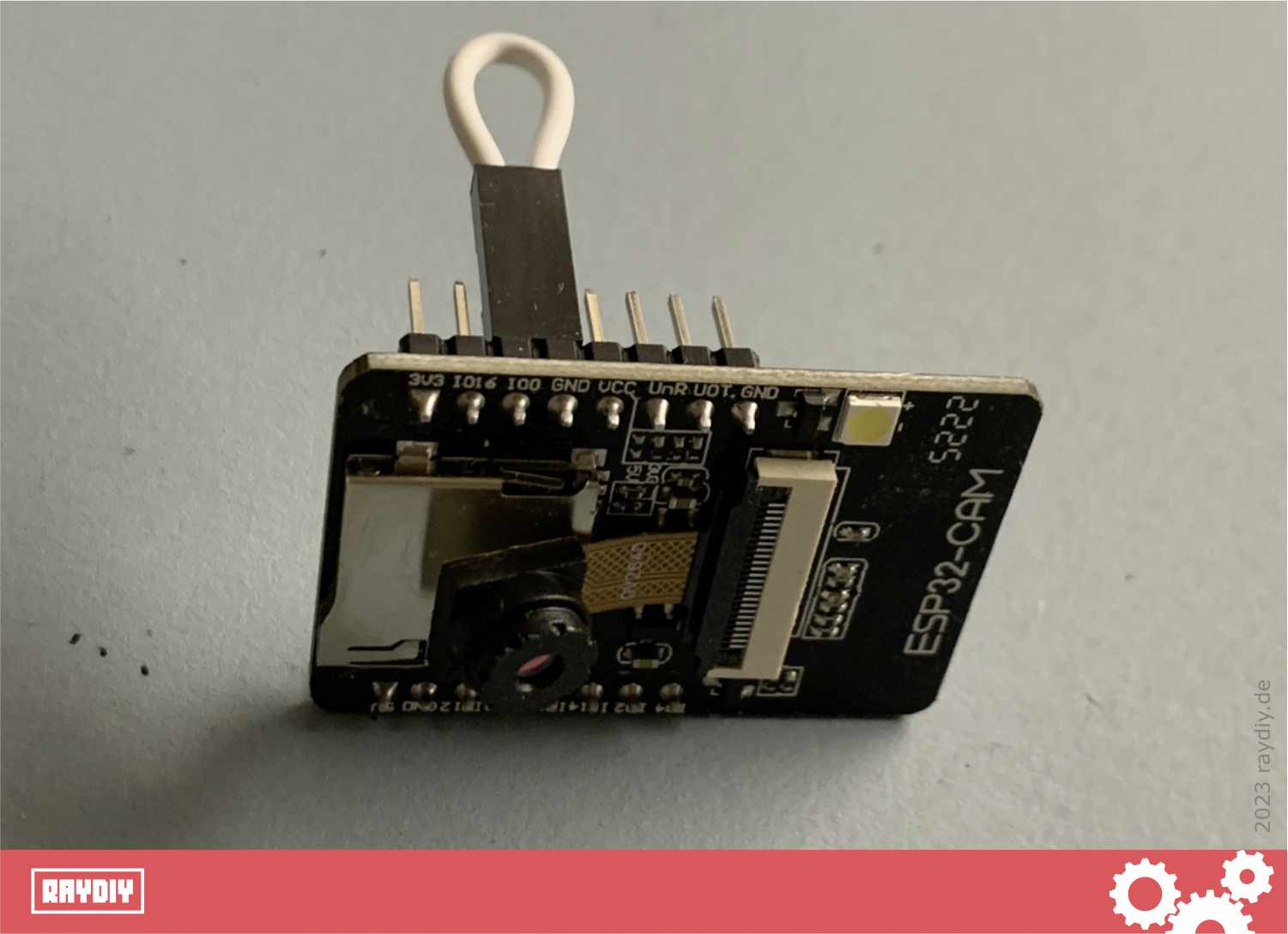
Self-crimped jumper cable
You could also solder a button into the white cable, which would give you exactly the boot button that many ESP32 dev boards have. If you want to crimp your own jumper cables too, I have written a guide here on how to crimp your own connectors and jumper cables.
Now you can use a USB cable to connect the FTDI to your computer.
In the following articles, I show how to upload code to the ESP32 Cam with the Arduino IDE. And since I am a big fan of PlatformIO, of course I also show how to upload code to the ESP32 Cam with PlatformIO and VS Code.
FTDI FT232RL USB to TTL Adapter 3.3V + 5V*

Amazon Link*
*
This link is an affiliate link. As an Amazon Partner, I earn from qualified sales.
Can You Upload Code to the ESP32 CAM Without an FTDI?
There are two more ways to upload code to the ESP32 Cam: either with a so-called ESP32-CAM-MB board, or by using another microcontroller.
Ultimately, however, both methods also rely on a built-in FTDI or USB-UART adapter. So in the end the answer is: no, it does not work without an FTDI.
But if you have an Arduino UNO, for example, you can use it as an FTDI. In that case, you do not need to buy an additional FTDI adapter to program the ESP32 Cam.
ESP32-CAM MB*

Amazon Link*
*
This link is an affiliate link. As an Amazon Partner, I earn from qualified sales.
Links & Product Recommendations
Links from the article summarized for you
Product recommendations from this article
Links on the ESP32 Cam
ESP32 Cam – Discover the best boards: The ultimate list of 12 models – How to make the right choice for your project!
With this blog article, I am starting a series dedicated exclusively to the ESP32 Cam board. Here ...
ESP32 Cam + PlatformIO – First Project: Flash Light (Hello World)
How to use the ESP32 Cam with PlatformIO? In this mini-project, you will learn the basic essentials, ...
ESP32 Cam + PlatformIO: Surveillance Camera with Live Video Stream via Webserver
ESP32 Cam Video Tutorial: How to Build a Surveillance Camera in a Few Steps and Stream the ...
RAYDIY Newsletter
Subscribe now
and get a free eBook!