

The Art of Crimping!
German video only, but you can use YouTube’s automatic translation and subtitling feature.
Here I'll show you how to make your own jumper cables for Arduino, ESP32 and Co. With a suitable crimping tool and some stranded wire, you already have the most important materials. Step by step, I'll walk you through to a finished, crimped jumper cable. And I'll tell you when you should use JST connectors instead of Dupont connectors. JST and Dupont don't mean anything to you? Then read on or watch the video.
The most important facts summarized for you
What You Need to Know About Crimping
- With crimping pliers and the right connectors, you can make jumper cables in exactly the length your project needs.
- For Arduino and ESP32, I mainly use Dupont connectors, JST-XH connectors and occasionally JST-SM connectors.
- For the wire, I use 22 AWG stranded wire with silicone insulation: flexible and not as sensitive to heat.
- A good wire stripper is worth it. According to JOKARI, the PWS-Plus 003 is the right tool for the thin wires we use in our projects.
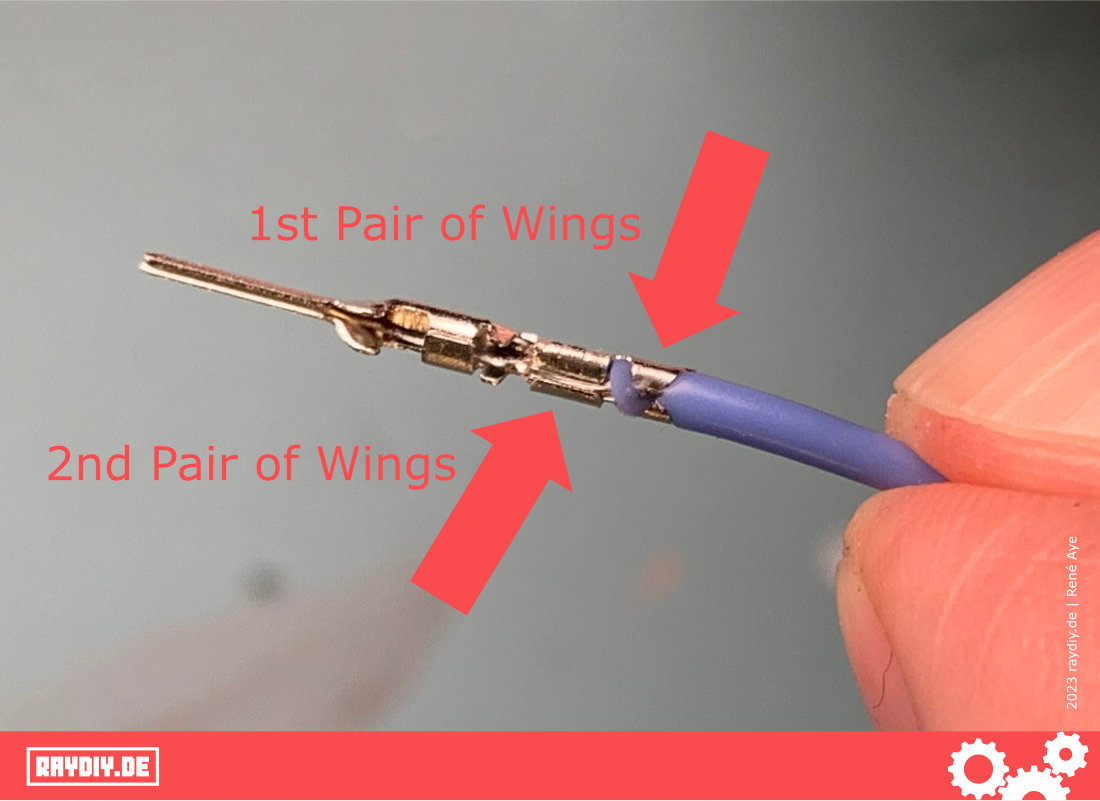
- When crimping, the first pair of wings grips the insulation and the second pair of wings grips the bare strands.
Make Your Own Cables with Matching Connectors
Especially in the prototype phase, it often makes no sense to solder the cables permanently. After all, you often still have to reconnect the connectors … arrange them differently again … then try something else after all … etc.
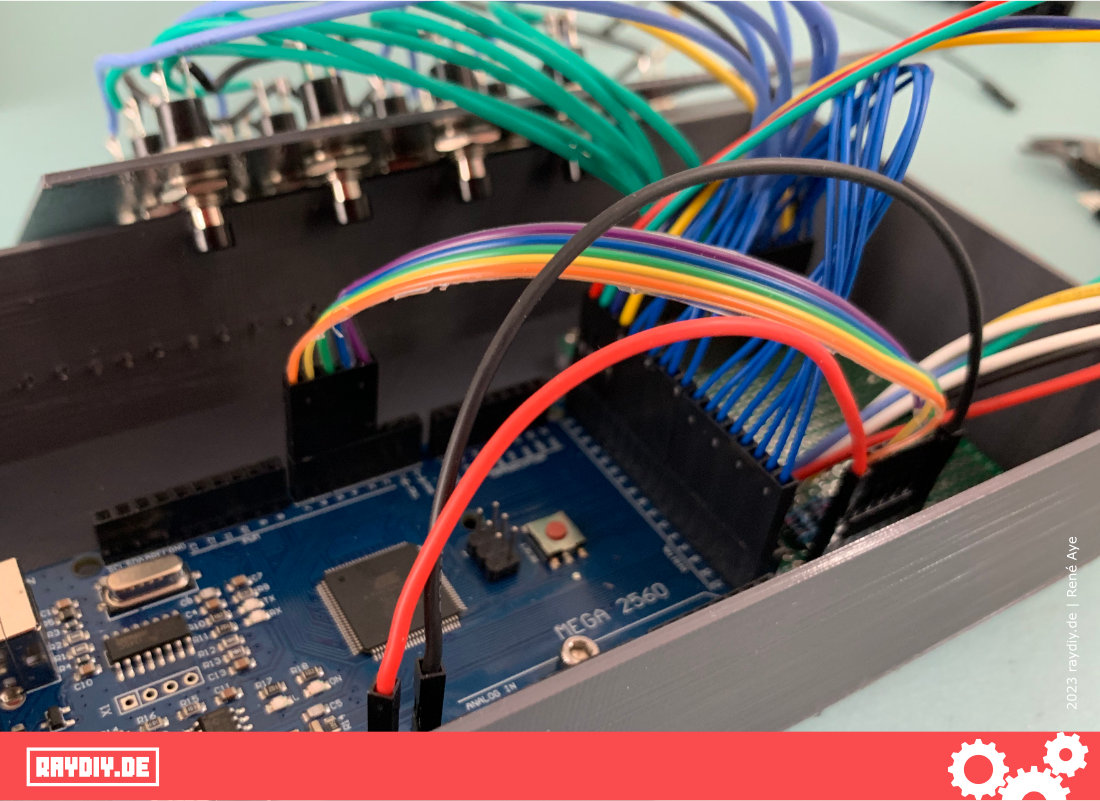
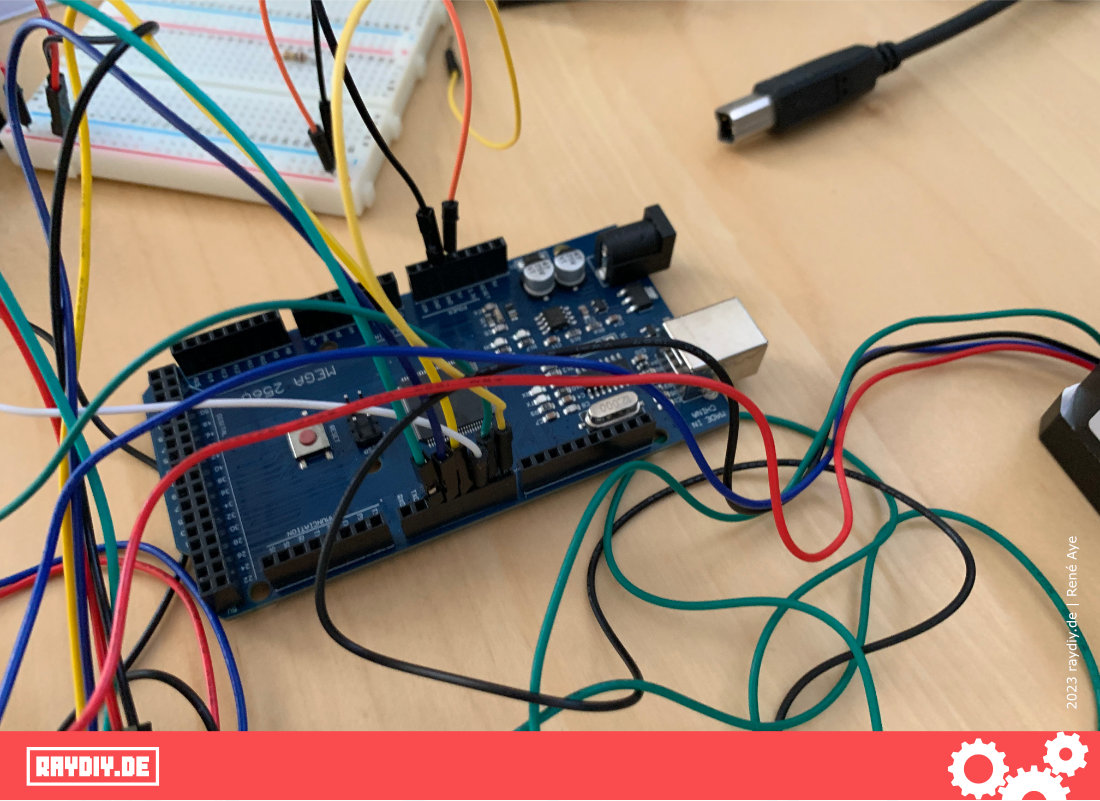
So we use cables with connectors that can easily be disconnected again. Breadboards and jumper cables are pretty much the standard kit of every microcontroller tinkerer.
I'm sure you also have a drawer full of jumper cables in different colors and configurations.
But somehow you're always missing exactly that one cable you need. So now we simply build it ourselves. Home-cooked always tastes best anyway.

René Aye
Head of Short Circuits @ raydiy
Keeps his herd of microcontrollers supplied with power and lovingly crafted code.
RAYDIY Newsletter
Subscribe now
and get a free eBook!Spoiled for Choice
Which Connector Types to Use?
In my projects, three connector types have proven themselves.
First, the well-known Dupont connectors: these are the connectors we know from jumper cables.
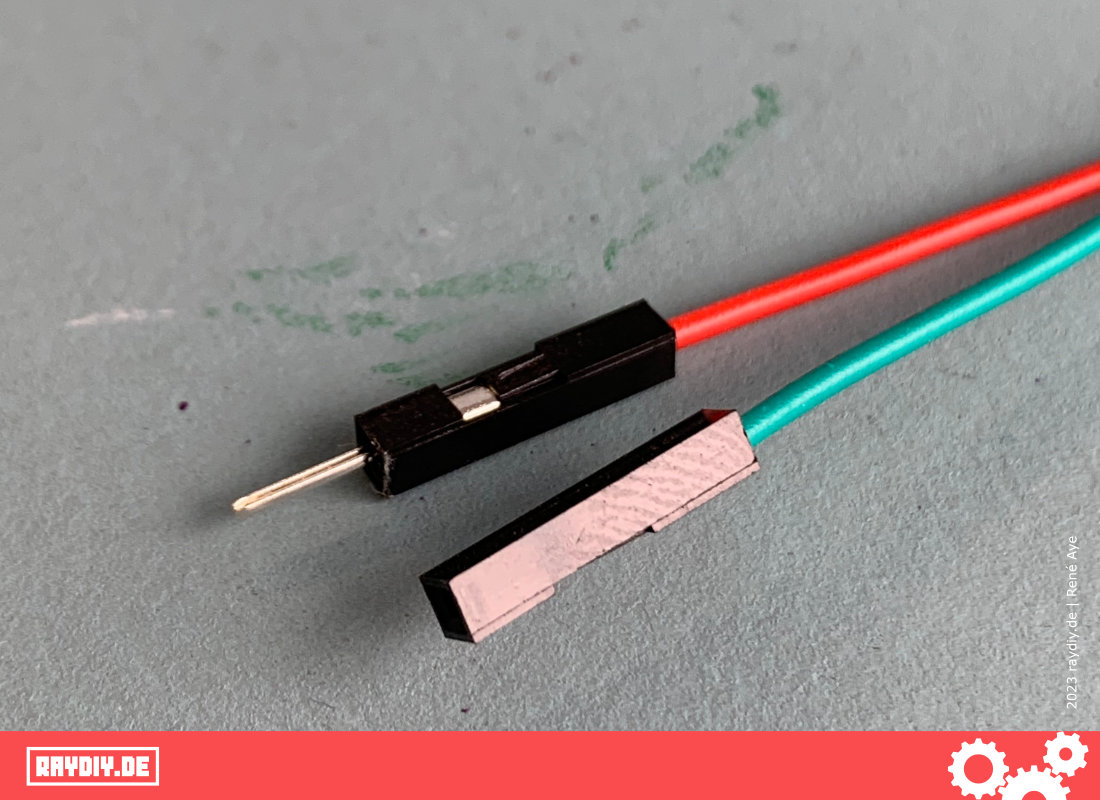
Dupont connector and socket
I also like to use so-called JST connectors (JST-XH, to be more precise) and occasionally JST-SM connectors.
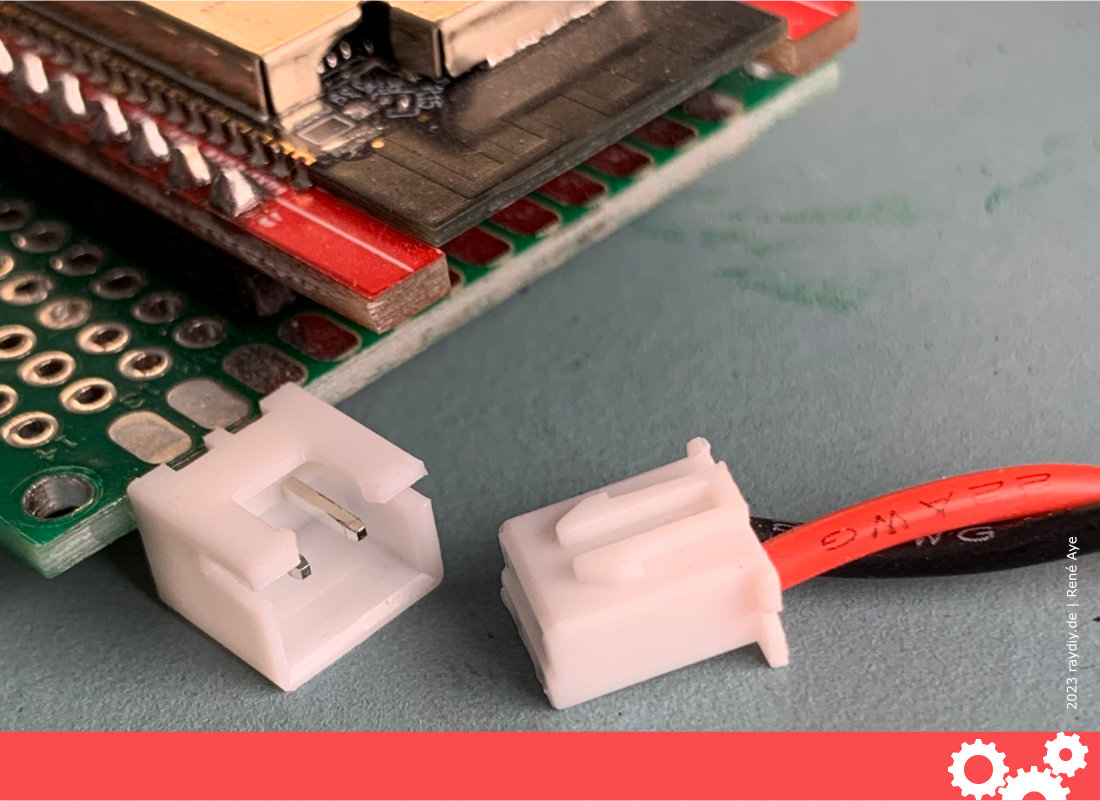
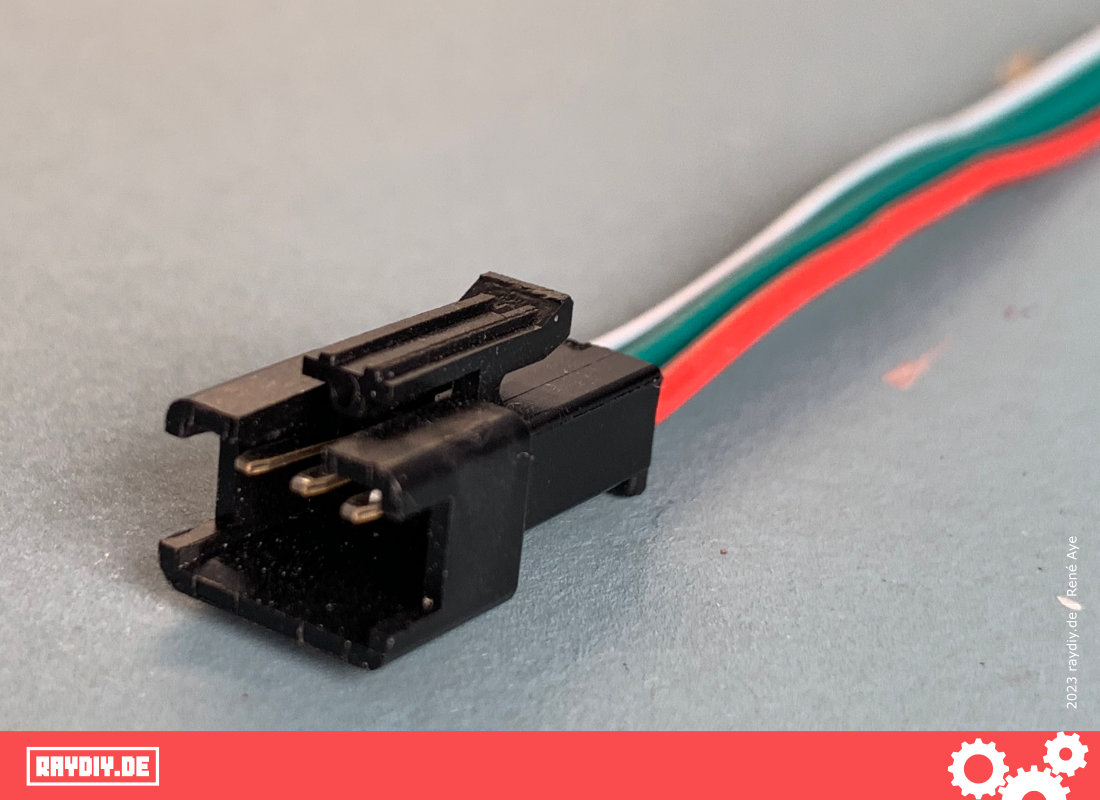
JST-SM connector
JST stands for Japan Solderless Terminals, a company founded in Japan with a huge range of electromechanical components, including connectors.
Each product type or connector type has its own letter code. One of the JST connectors that is widely used with Arduino, ESP & Co (but also in electronics and PC hardware in general) is the JST-XH connector.
Dupont Connector Crimp Assortment*

Amazon Link*
*
This link is an affiliate link. As an Amazon Partner, I earn from qualified sales.
When Should I Use JST-XH Connectors?
So when do I use a JST connector and when a Dupont connector? Good question!
In principle, you could do everything with Dupont connectors. The advantage of JST-XH connectors: they can only be plugged into the matching JST-XH socket in one direction. In addition, a clip system keeps the connectors much more securely in the socket.
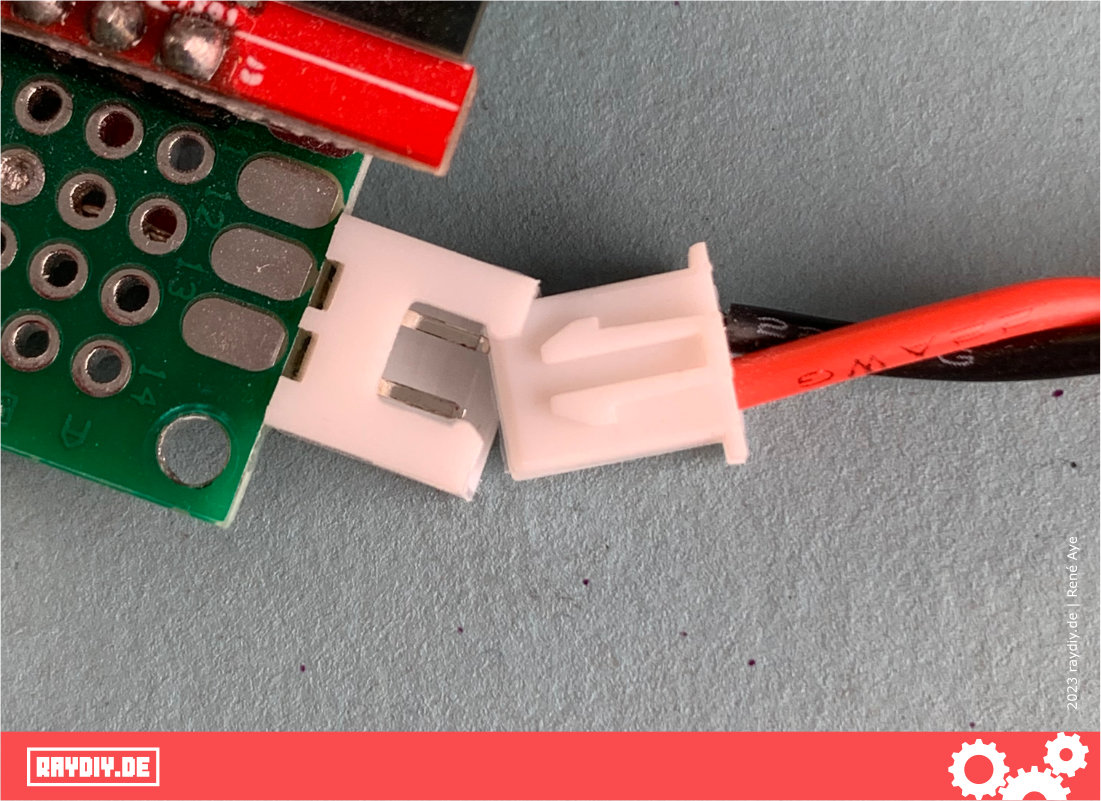
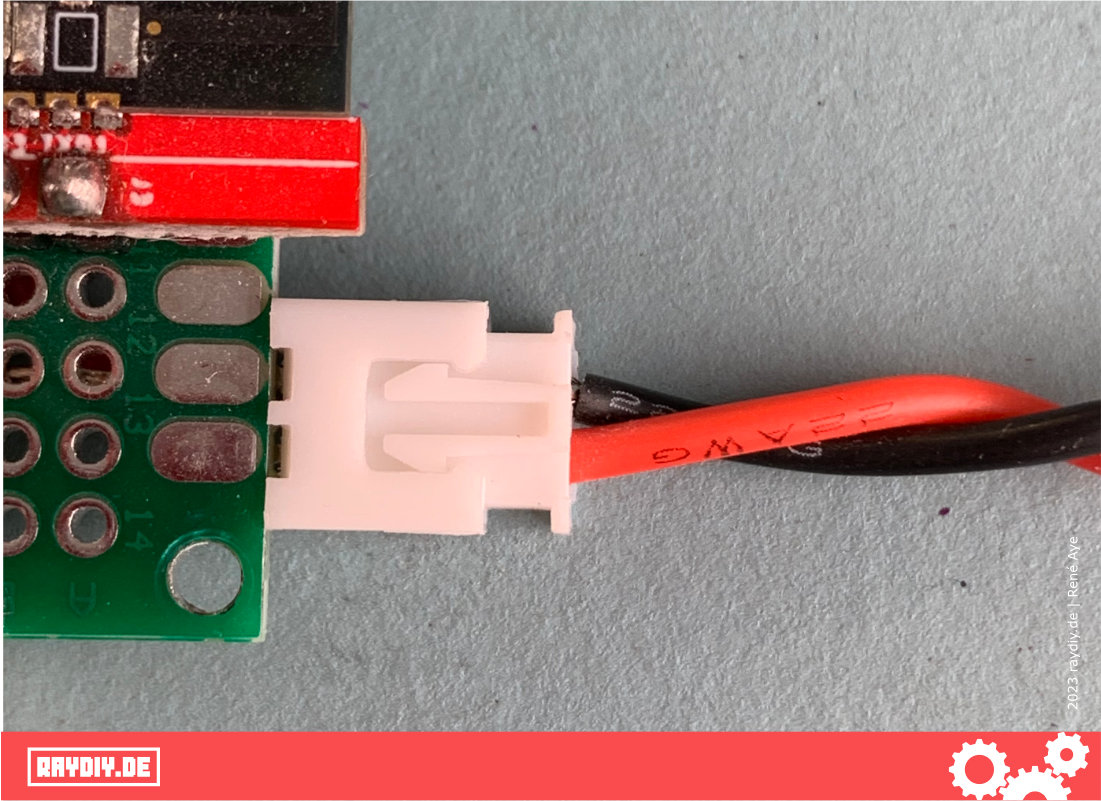
So whenever it is particularly critical that the connector is plugged in correctly and it shouldn't come loose too easily, a JST-XH connector is a good choice, e.g. for the power supply. There you definitely want to avoid mixing up the positive and negative poles.
In principle, the JST-XA connector type would also work. It has an additional latch, so the connector sits even more firmly. But that also makes it harder to remove.
JST-XH Connector Crimp Assortment*

Amazon Link*
*
This link is an affiliate link. As an Amazon Partner, I earn from qualified sales.
JST-XH on Perfboards
The sockets of these two connector types have pins with a spacing of 2.5 mm. Our beloved perfboards have a spacing of 2.54 mm (0.1 inch).
If you want to solder these sockets onto a perfboard, you can do so without any problems, because the pins fit exactly into the grid, but only up to a certain length, since there is a difference of 0.04 mm.
With a longer JST-XH header, these 0.04 mm add up with every pin. The longest JST-XH header I've used so far has 4 pins, and it fits into a perfboard without any problems.
There are other JST connector types whose pins have a different spacing, such as JST-PH (2 mm), JST-GH (1.25 mm), JST-SH (1 mm) etc.
Perfboards & Screw Terminals*

Amazon Link*
*
This link is an affiliate link. As an Amazon Partner, I earn from qualified sales.
What Are JST-SM Connectors?
In my very extensive LED Strip Ultra Guide, you'll learn everything about Neopixel, WS2812 & Co. These LED strips often come with a soldered-on connector. This is usually also a JST connector, namely the JST-SM connector already mentioned above. And of course you can crimp this one yourself, too.
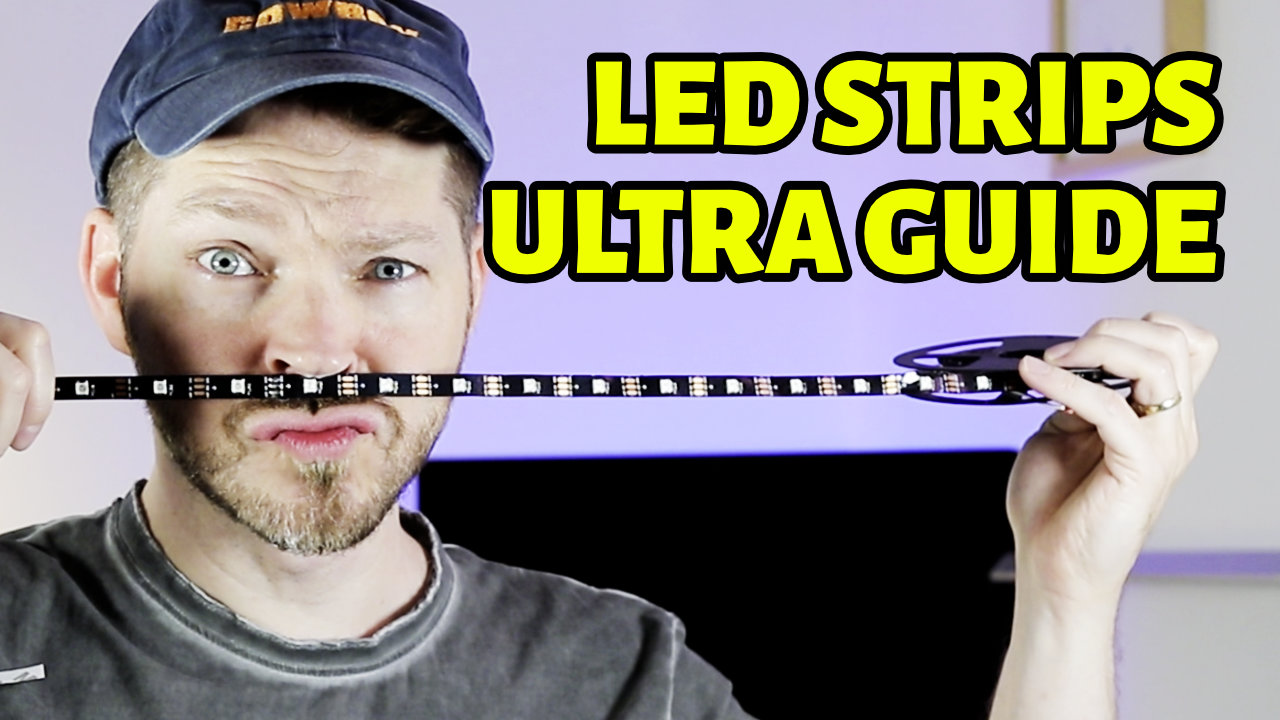
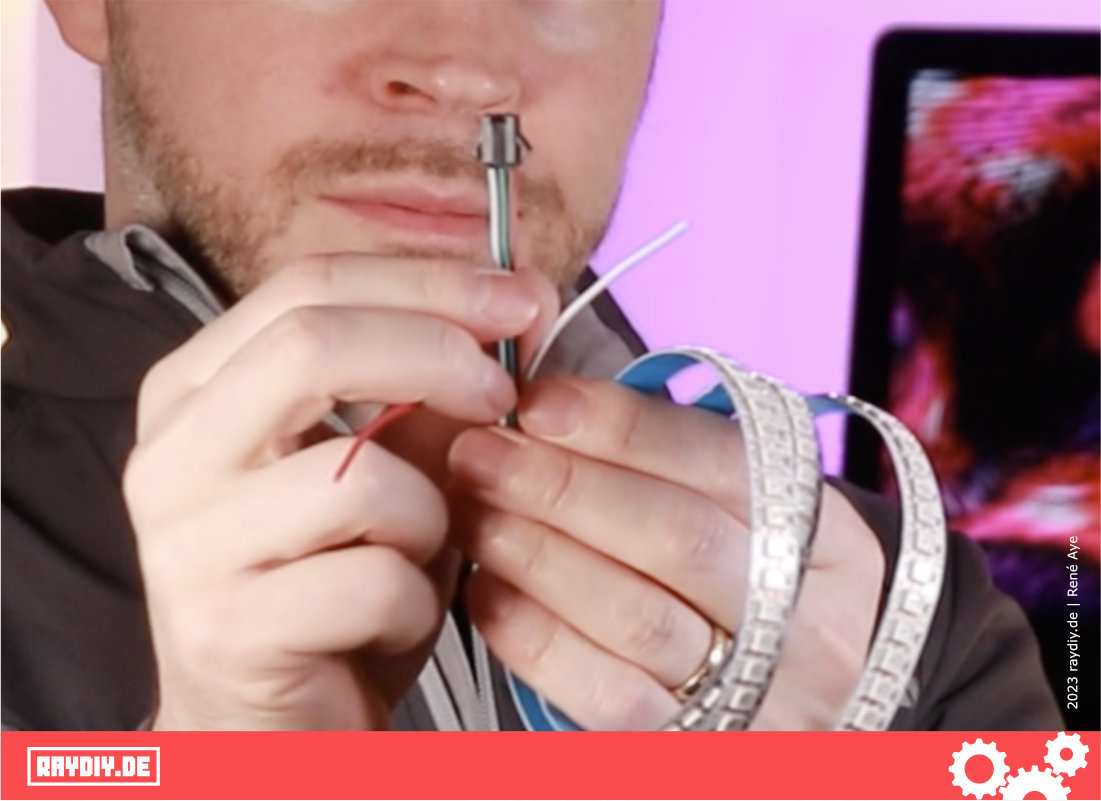
LED strips often have a JST-SM connector
We've now covered the connector types. Depending on which connector type you want to crimp, you need a matching crimp kit. But you also need cable or stranded wire to crimp the connectors onto.
JST-SM Connector Crimp Assortment*

Amazon Link*
*
This link is an affiliate link. As an Amazon Partner, I earn from qualified sales.
The Stranded Wire I Use for My Arduino and ESP32 Projects
The stranded wire must not be too thick and definitely not too thin. Crimping doesn't work if the wire is too thin. Also, current flows through it, and larger wire diameters are always better here, because otherwise there's a risk that the wires get too hot and burn through.
I use silicone-insulated stranded wire with a gauge of AWG 22, i.e. 0.32 mm² cross-section. It's a bit thicker than standard jumper cables, but still easy to work with. Silicone is also not as heat-sensitive as other types of plastic, so if you accidentally touch it with the soldering iron, it's not an instant disaster.
For my projects, like the ones you'll find here on the blog, the pack shown below has lasted me for years!
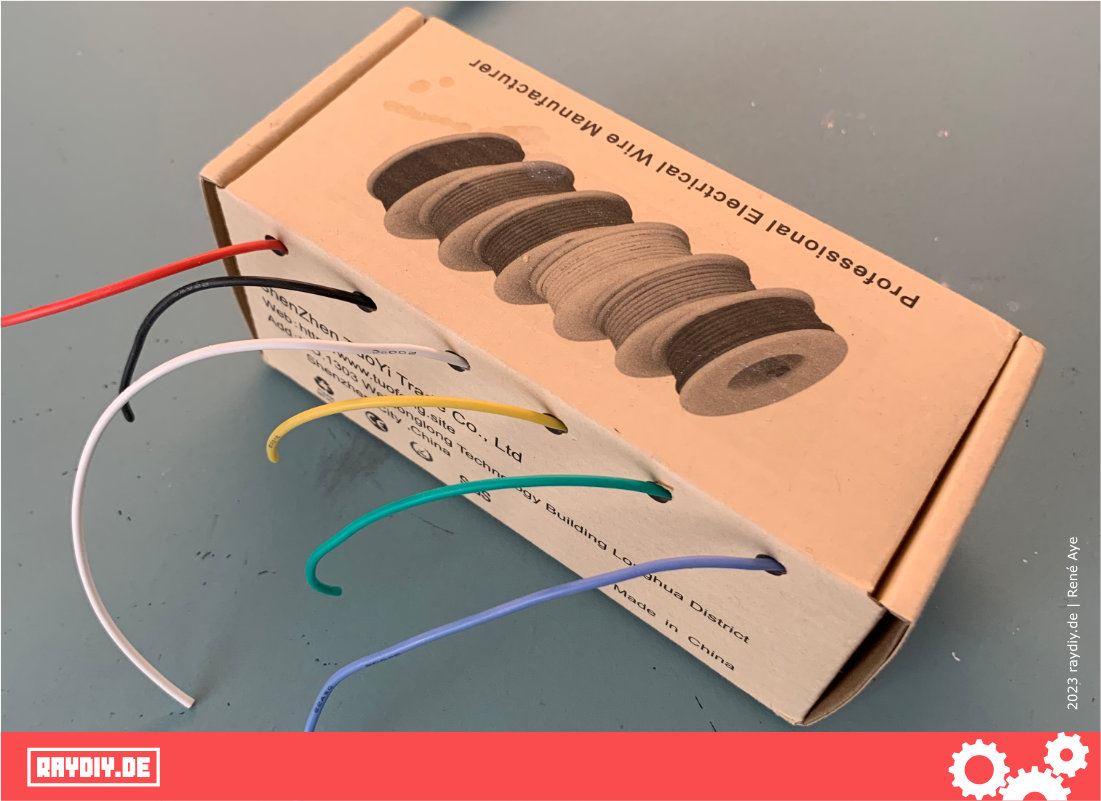
The silicone-insulated stranded wire I use
22 AWG Silicone Stranded Wire*

Amazon Link*
*
This link is an affiliate link. As an Amazon Partner, I earn from qualified sales.
Wire Stripper
For crimping, a few millimeters of the wire's insulation have to be removed. I can only recommend a good wire stripper for this.
For years, I've been using a Super 4 Plus automatic wire stripper from the company JOKARI. A German family business whose roots go back to an electrical and hi-fi store founded in 1949 by the Krampe couple.
Somehow I found that info rather likeable 🙂
JOKARI's sense of sustainability and their work on inclusion and school projects impressed me. On top of that, the products offer good value for money. More companies like this, please!
What has always bothered me about this stripper, though: it has a length stop that can only be set down to 6 mm. For an electrician wiring a house, that's certainly ideal.
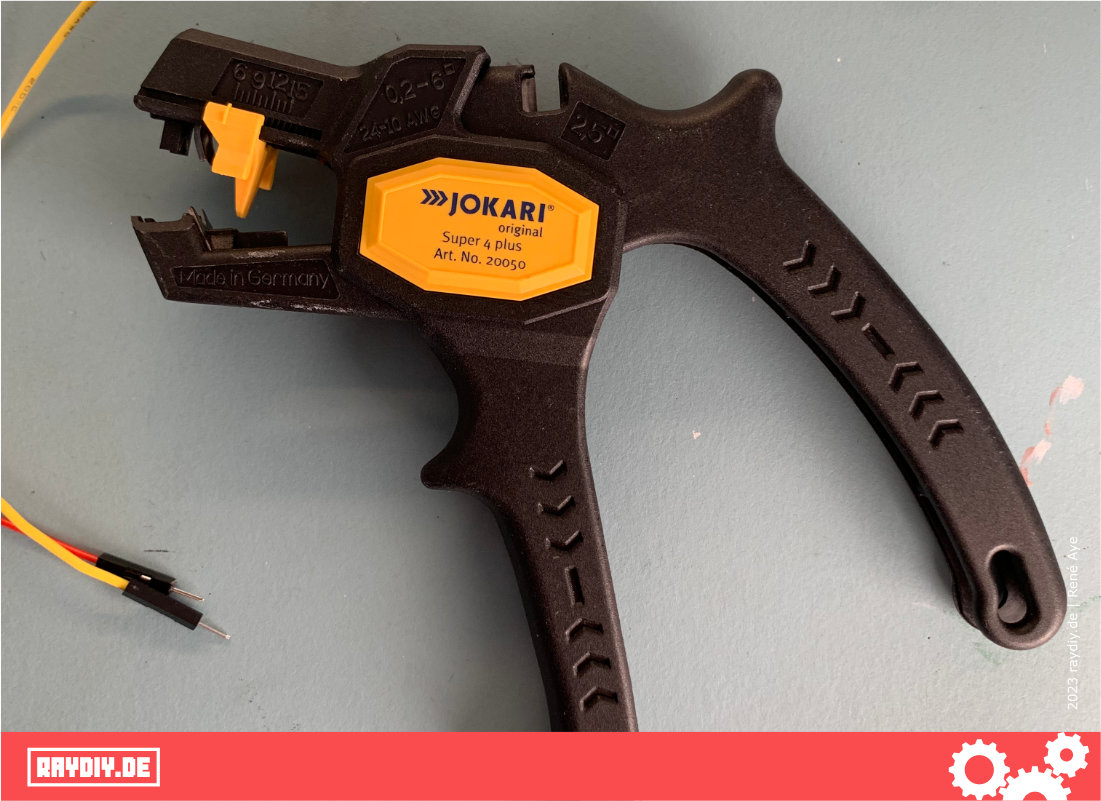
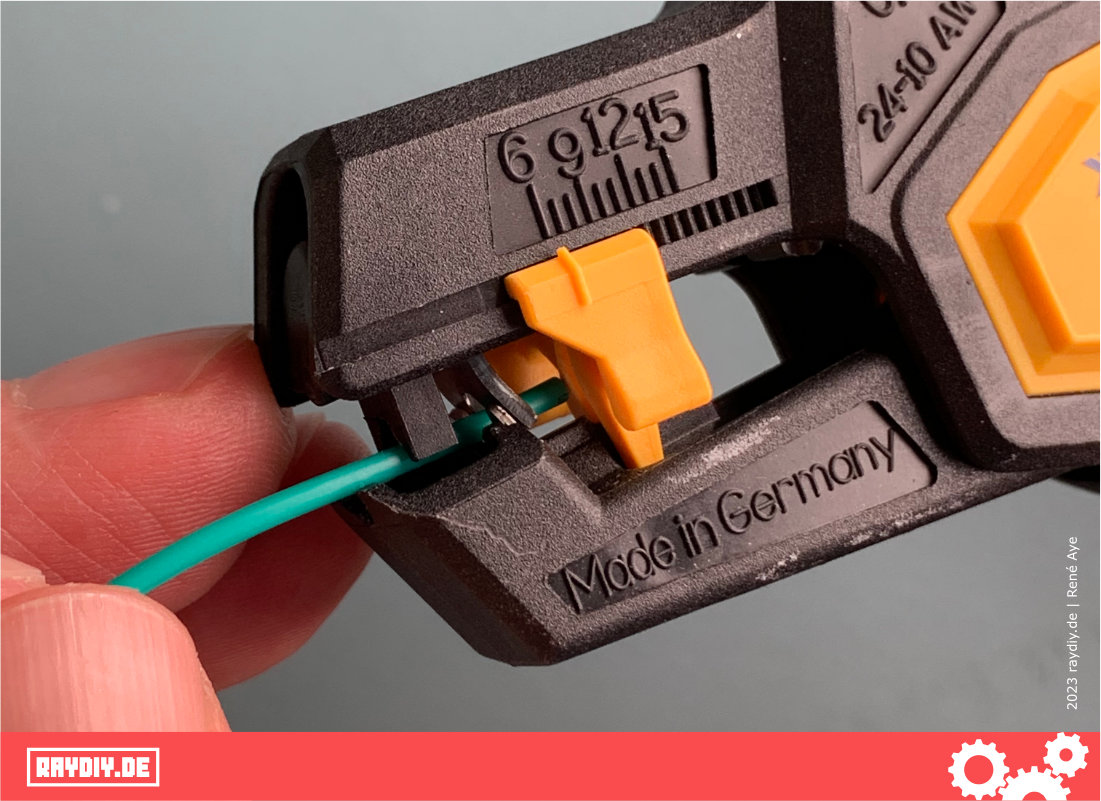
At least 6 mm stripping length, but I need less
The JOKARI Hack
For my electronics tinkering, however, I usually need a shorter length. I know there are other tools out there, but I couldn't find anything among the automatic wire strippers. Besides, I already have this stripper, and it works great.
So I took a closer look at the stripper and especially the length stop. The length stop is very easy to remove. So I designed a new length stop and printed it on my 3D printer: it works! Now I can strip my wires down to 2 mm with this stripper.
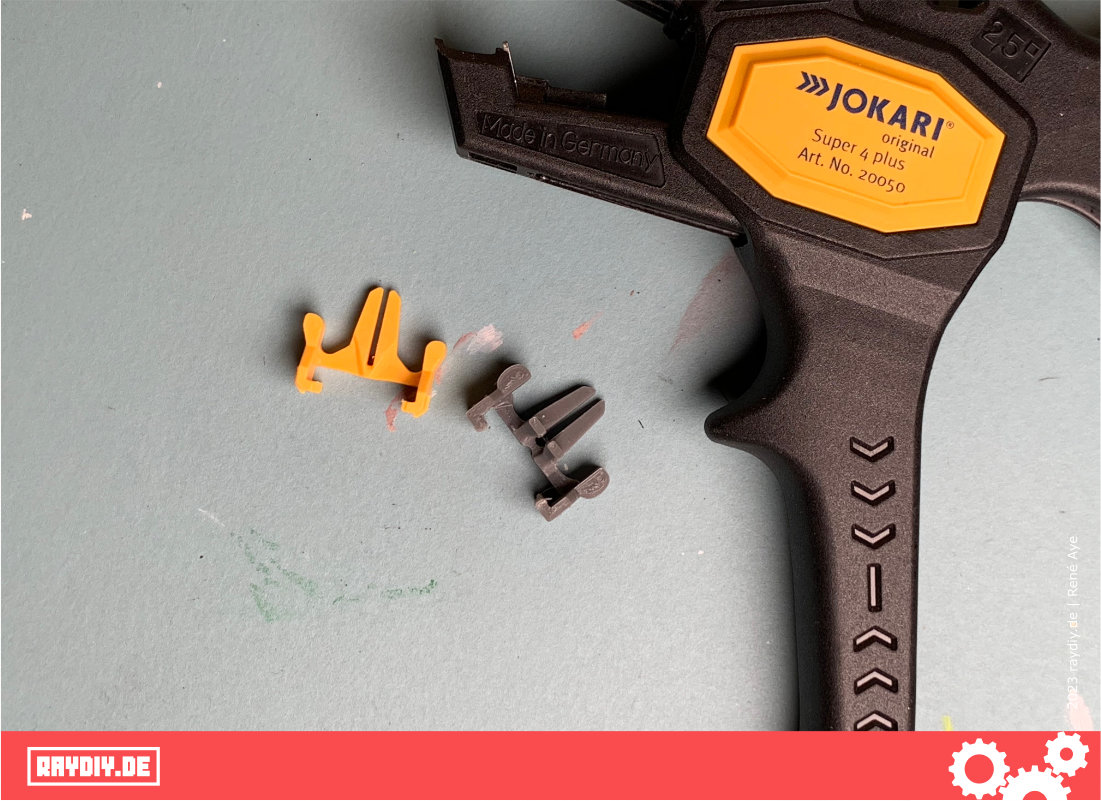
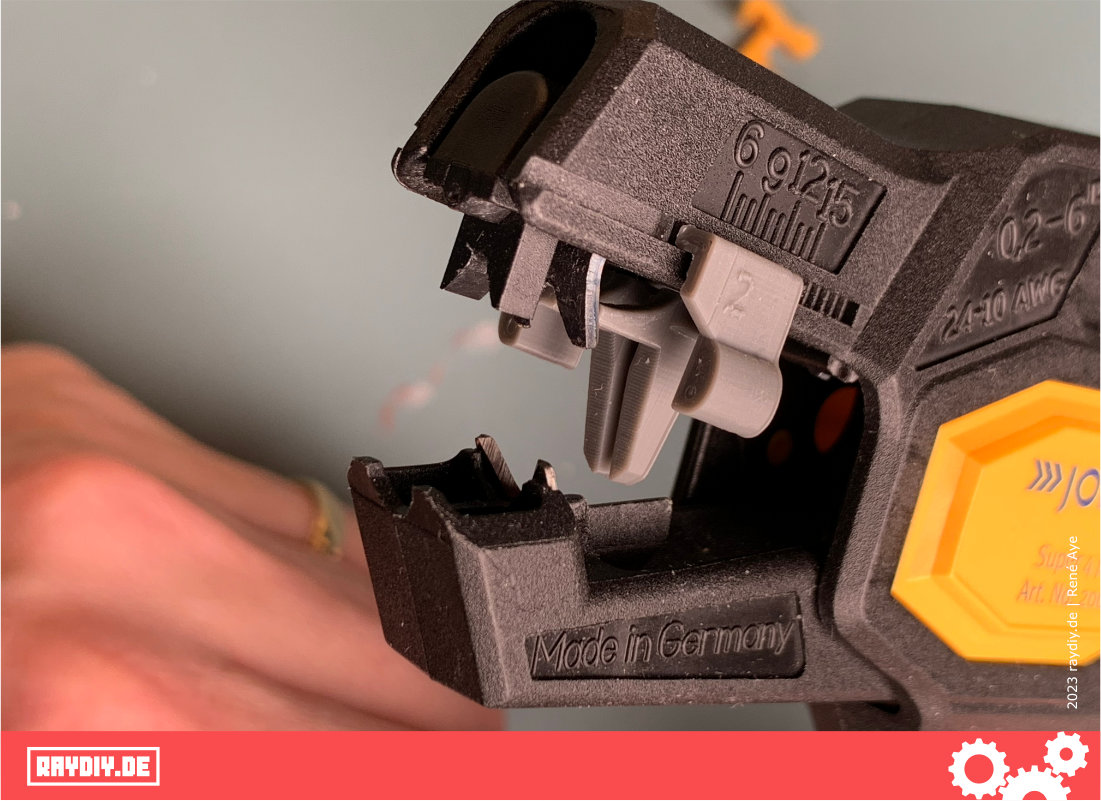
Stripping length of at least 6 mm, I need less
JOKARI Super 4 Plus Wire Stripper*

Amazon Link*
*
This link is an affiliate link. As an Amazon Partner, I earn from qualified sales.
Feedback from JOKARI
The JOKARI story goes on. After I showed the JOKARI hack in my YouTube video, someone from JOKARI got in touch.
JOKARI kindly pointed out to me that this wire stripper isn't actually designed for such small wire gauges. JOKARI has other stripping tools in its product range for that.
For the wire diameters we use in our usual ESP32 and Arduino projects, the PWS-PLUS 003 would be the right tool.
As a thank-you for the positive mention, they gave me the matching tool as a gift. Great company. @JOKARI, in case you're still looking for a hack developer ...
The tool works great, too. One little thing bothers me, though: the cut-off insulation often gets stuck in the tool. To get it out, I have to move the length stop. Unfortunately, that's annoying when you want to strip several wires with the same length setting. Maybe I'll have to build a hack for this one too 🤔
JOKARI PWS-Plus 003 Wire Stripper*

Amazon Link*
*
This link is an affiliate link. As an Amazon Partner, I earn from qualified sales.
The Crimping Tool I Recommend
On the subject of crimping tools: of course, I first tried the cheap ones from the hardware store checkout aisle. My tip: don't bother. Buy something decent right away and you'll have peace of mind.
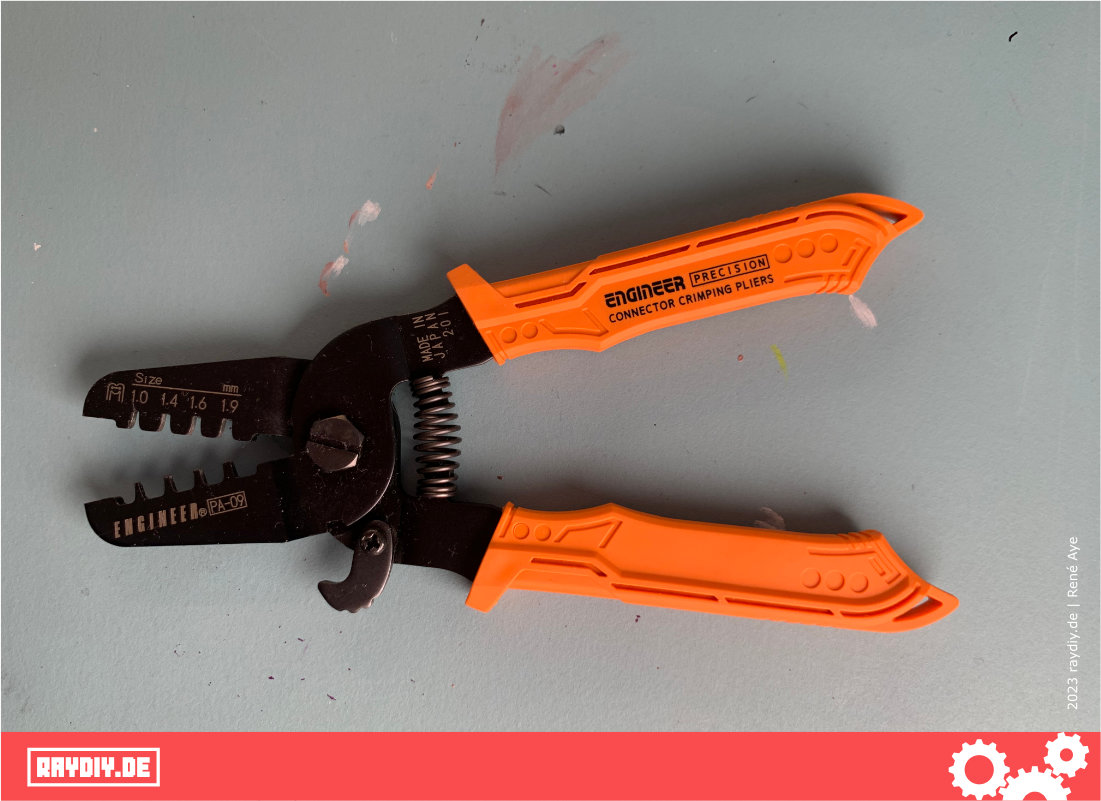
Japanese precision tool
This crimping tool is more expensive, but the openings and dies have exactly the right shape, and I reckon it comes down to tenths of a millimeter for a crimping tool to work well.
And the crimping tool from the impulse-buy checkout aisle at the hardware store probably won't have that precision. Of course, I'll link the good one for you, too.
Crimping Step by Step: A Crimping Tutorial
One more thing up front for the impatient among you: you have to practice a few times! But after crimping four, five, six times, you'll get the hang of it.
Let's go:
We cut our stranded wire to the length we need.
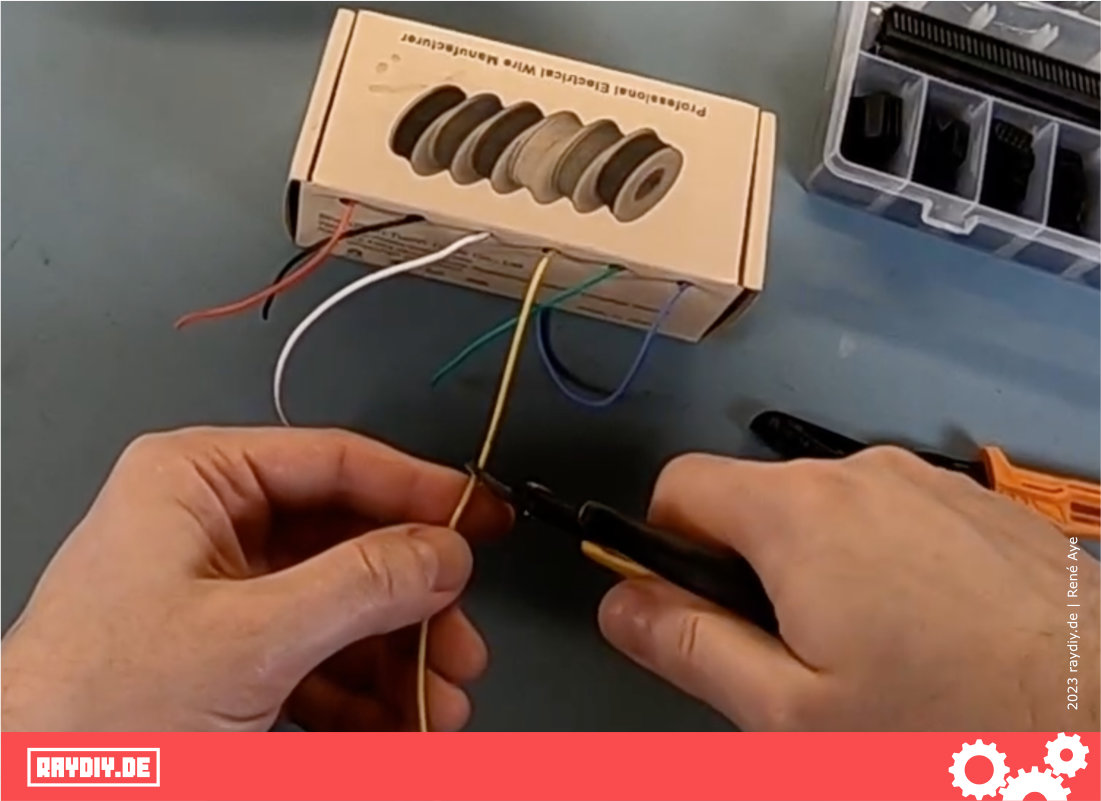
Then we detach one of these pins from the metal strip in the kit, depending on whether you want to crimp a female or a male connector. And then, of course, the matching connector housing.
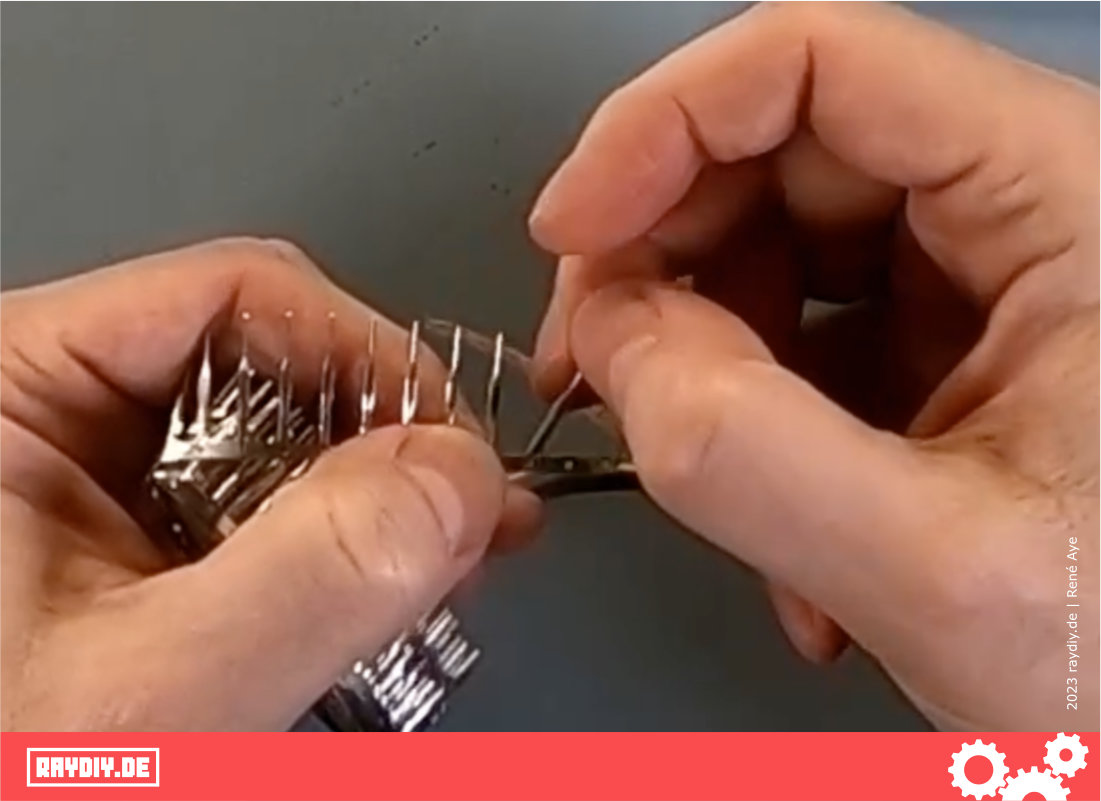
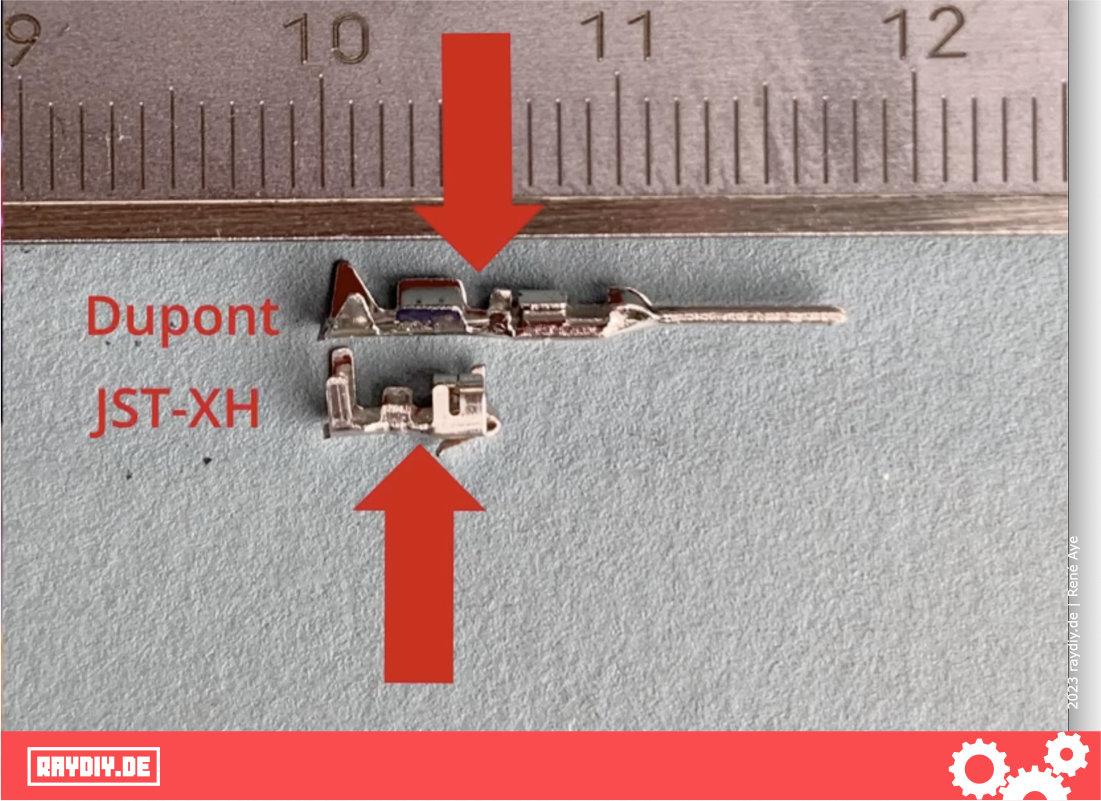
The pin gives you a rough idea of how much insulation you need to strip from the wire.
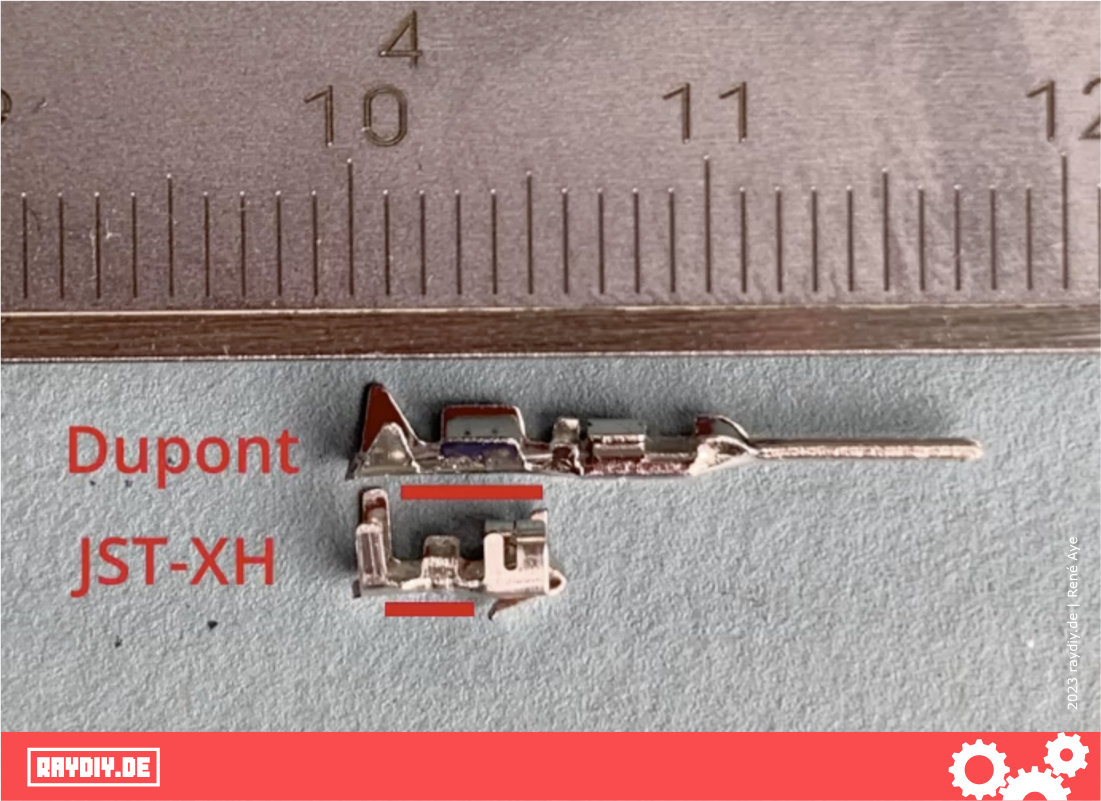
For this Dupont pin, it's about 4 millimeters.
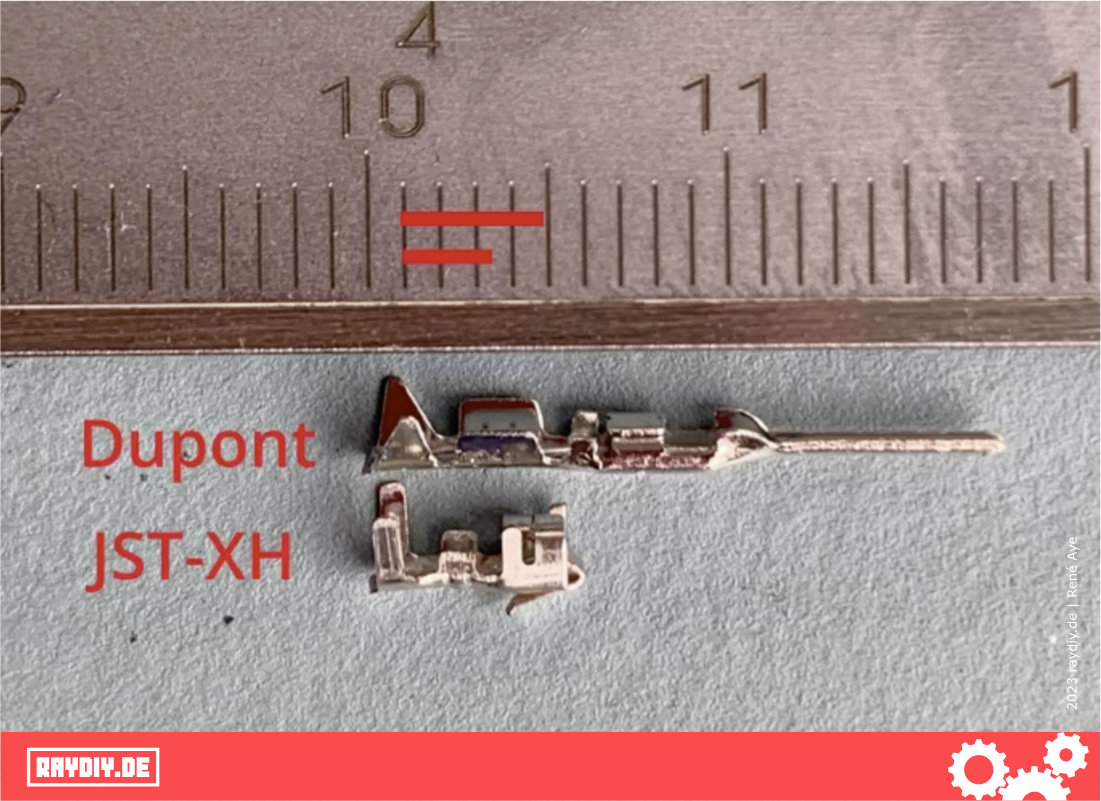
After crimping, the insulation should end exactly in this first opening.
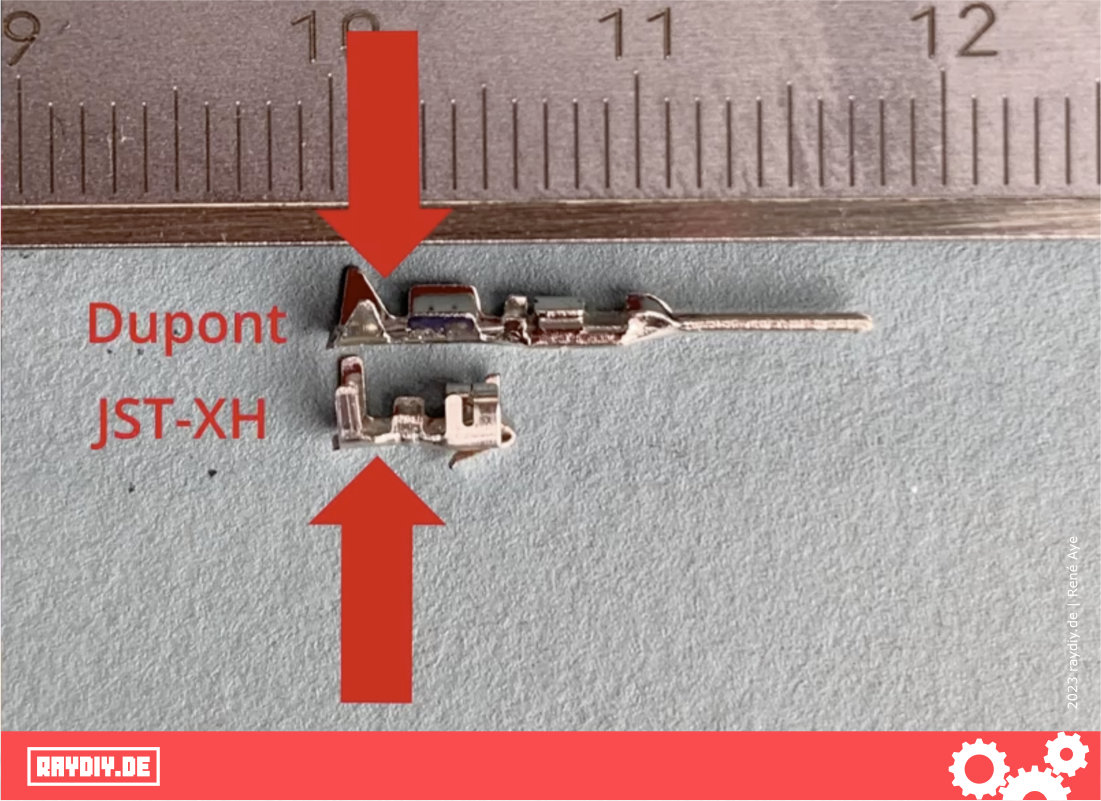
The bare strands should end exactly in the second opening.
The first pair of wings grips the insulation, and the second pair of wings grips the bare strands.
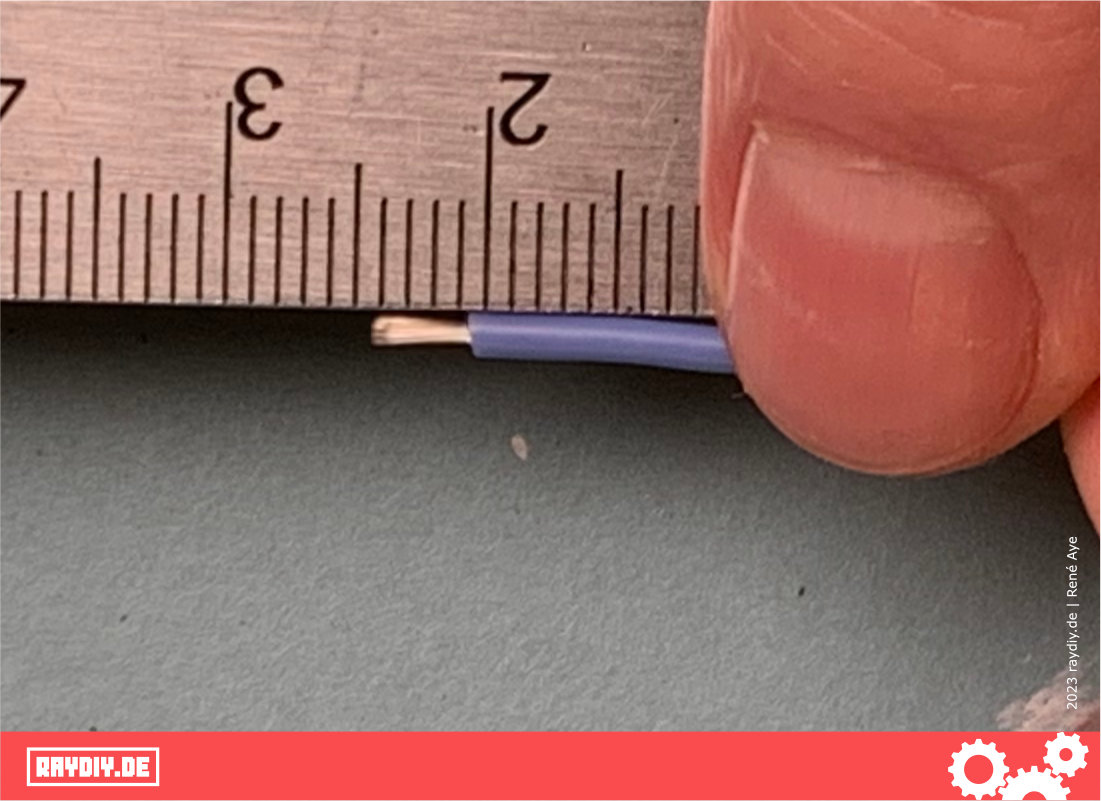
I can't say whether there is the one correct way. The somewhat thicker silicone insulation doesn't make it any easier either. But this is how it works well for me:
I remove the silicone sheath, which of course is no problem at all with the hacked wire stripper 😉
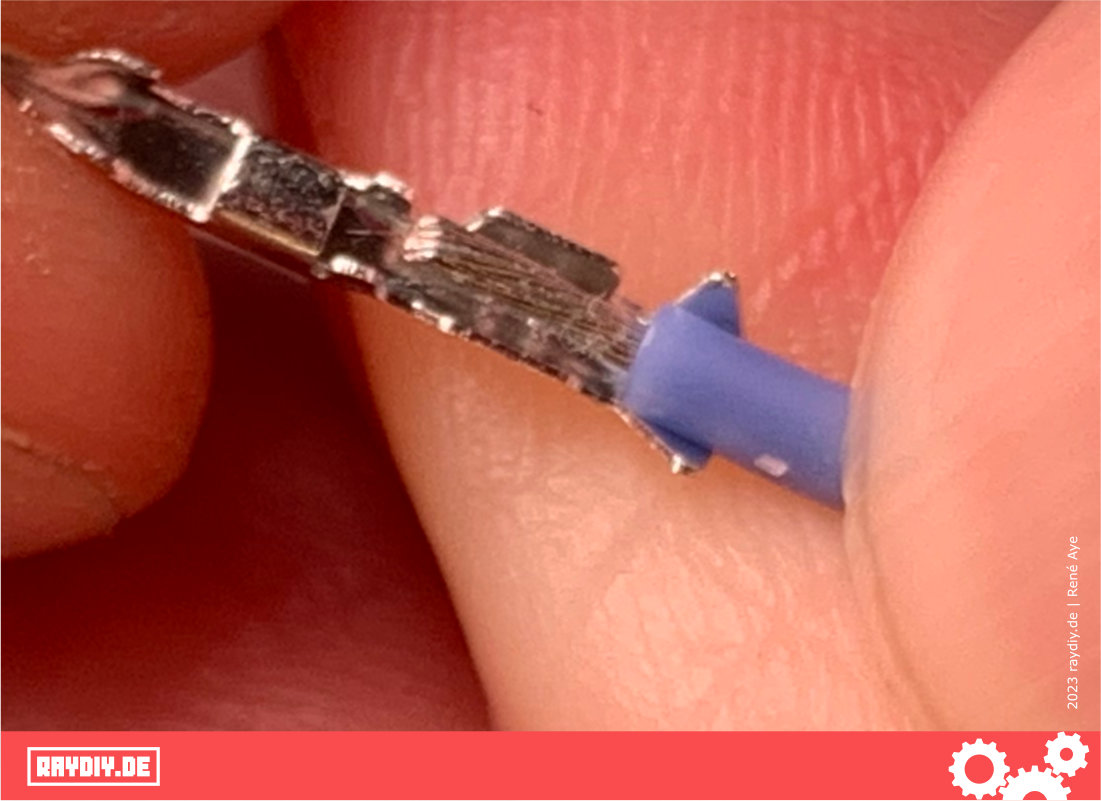
Now I position the wire in the pin so that the insulation ends in the second opening, not too close to the second pair of wings. Otherwise the insulation slides onto the second pair of wings and bulges up too much.
Now I use the tip of the crimping tool to press the first two wings together, but only so far that they are roughly parallel and the wire is slightly clamped. That makes it easier to position everything in the next step.
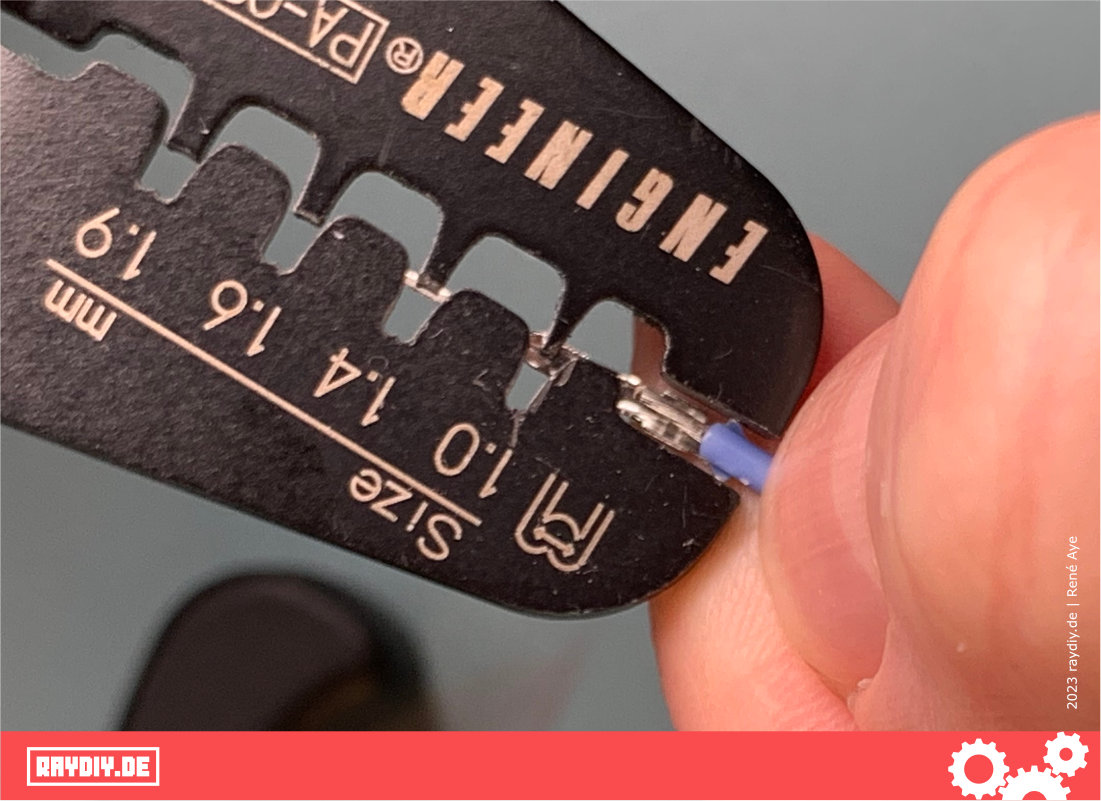
For the next step, with this pin and this silicone wire, I choose the 1.9 mm opening of the crimping tool. Which opening is the right one depends on the pin and the wire diameter.
With the 1.6 mm opening, the insulation got squeezed too much for my taste. And if the pin simply falls off after crimping, try the smaller opening after all.
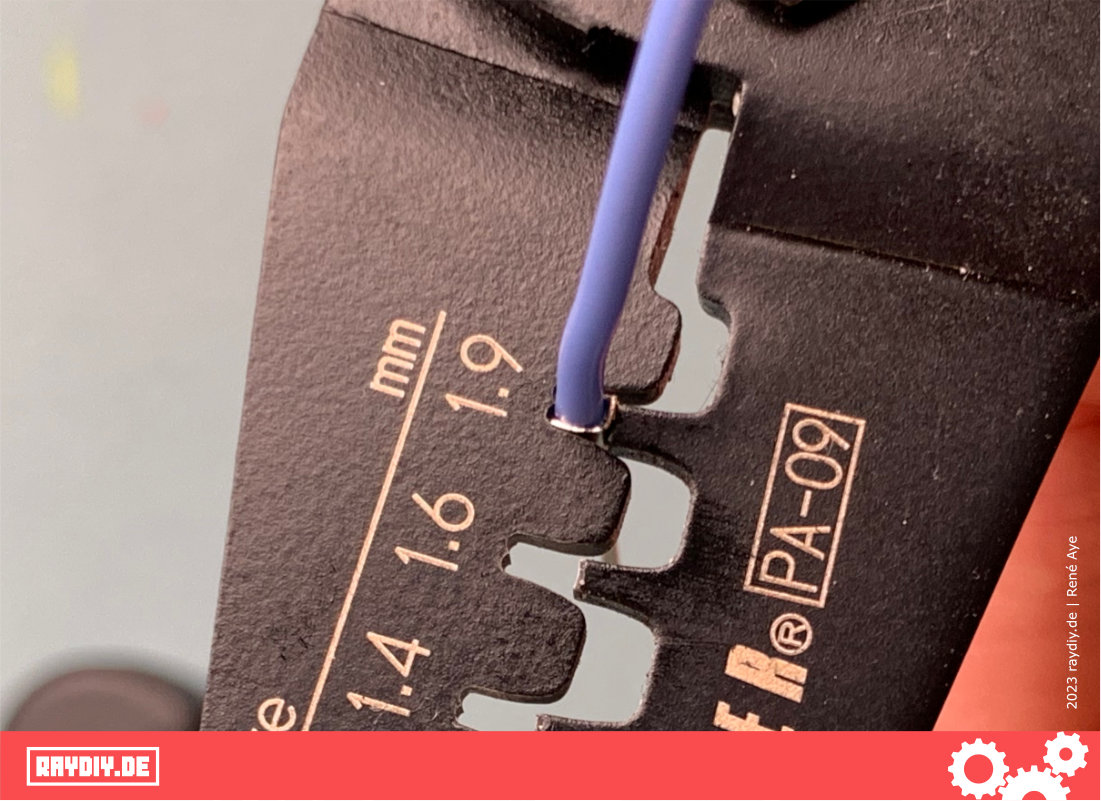
Once the pin is positioned correctly, you can crimp the first pair of wings.
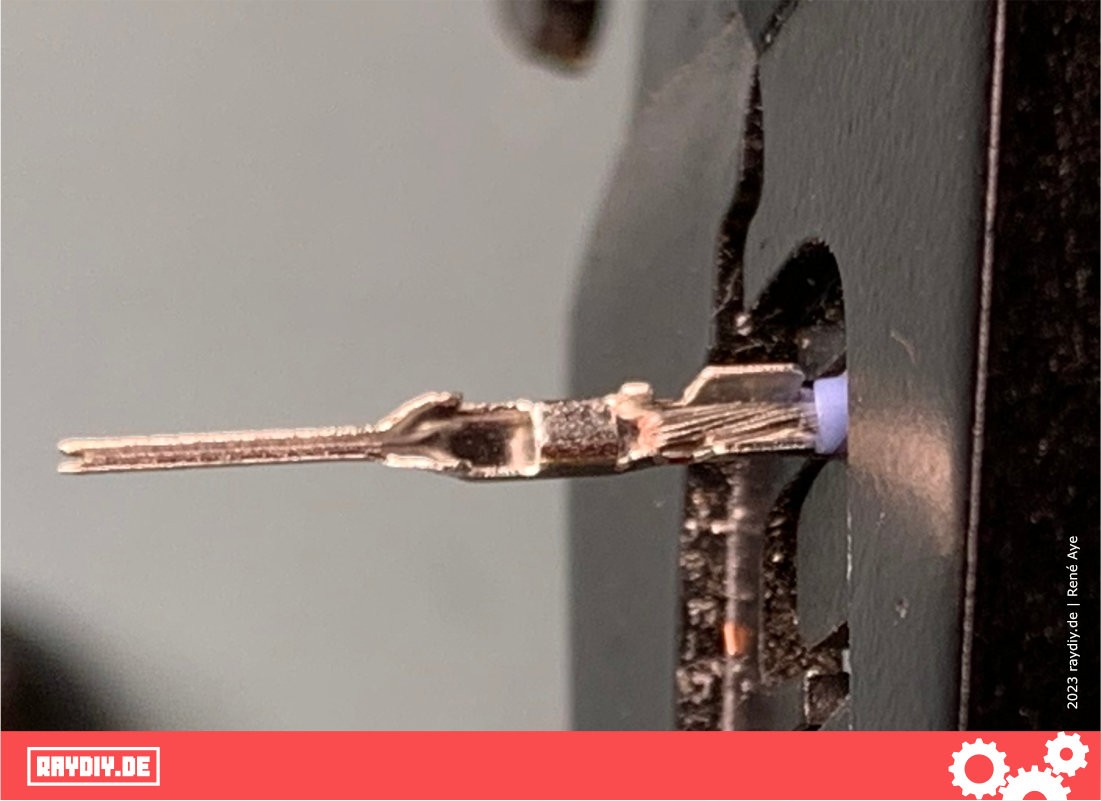
Now release the pin and reposition it so that the second pair of wings can be crimped.
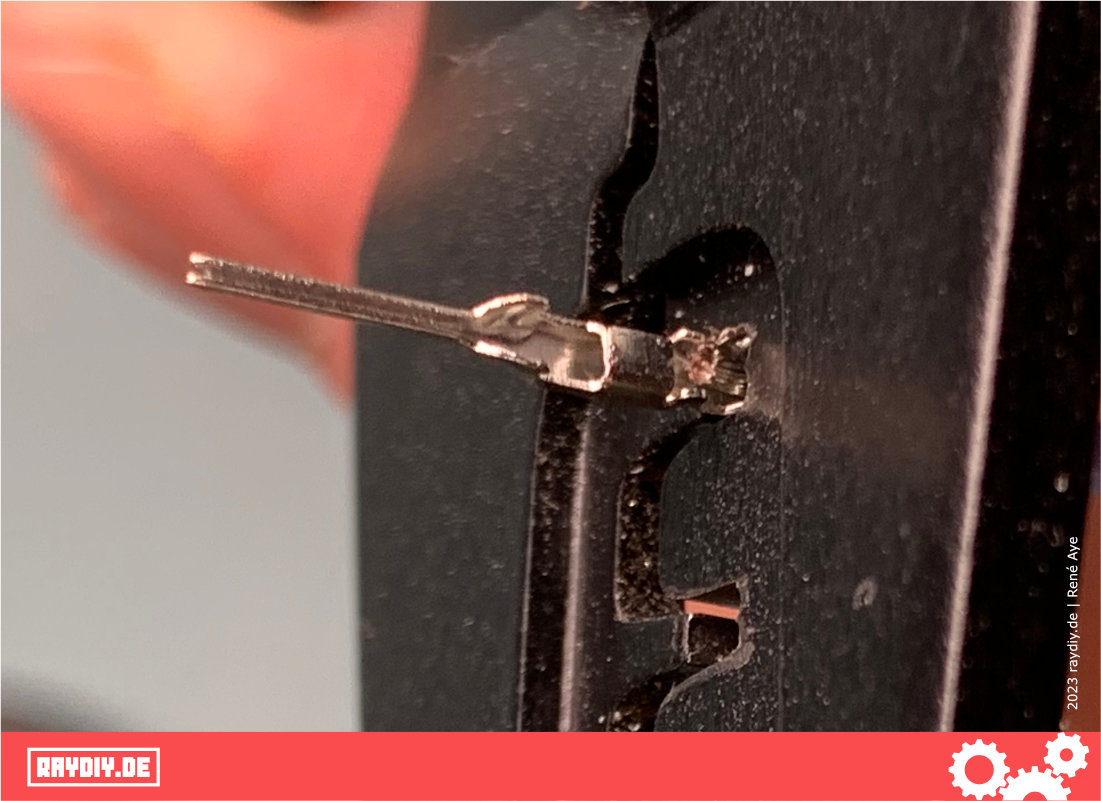
This is what a nice crimp looks like!
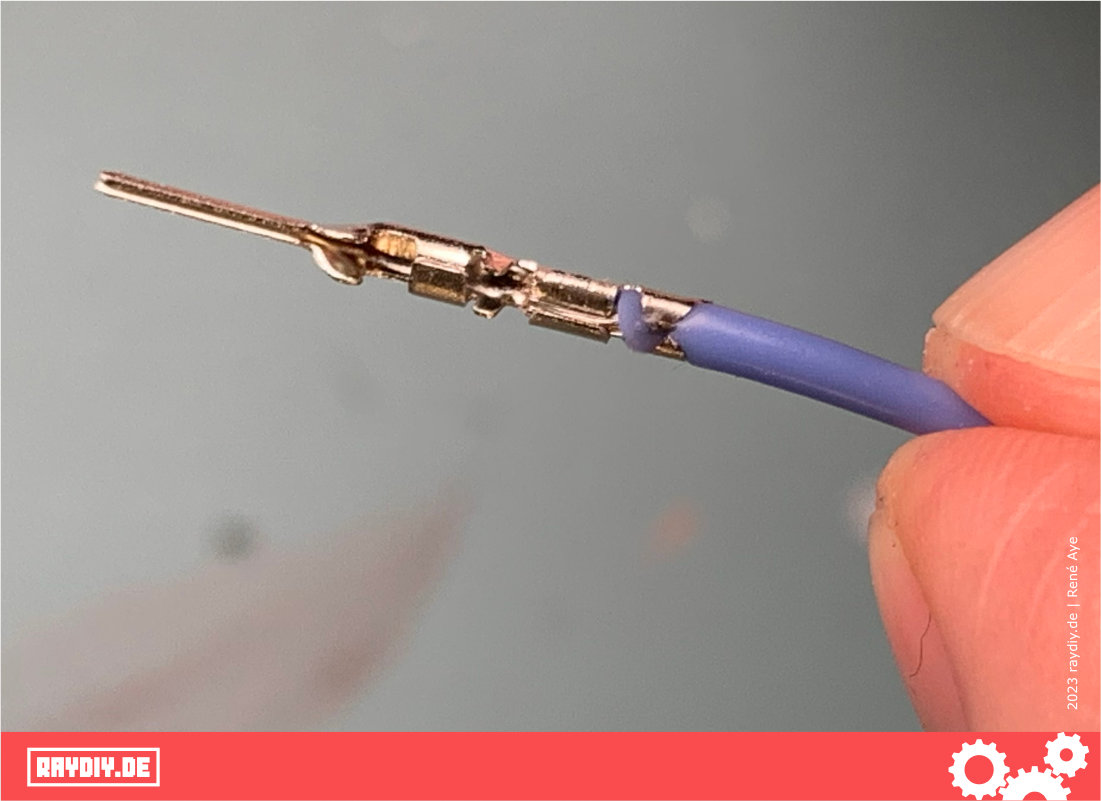
Make sure the whole pin is nice and straight and that not too much insulation is squeezed upwards, otherwise you won't be able to slide the housing over it.
If the pin is bent, you can use the tip of the crimping tool to straighten it again.
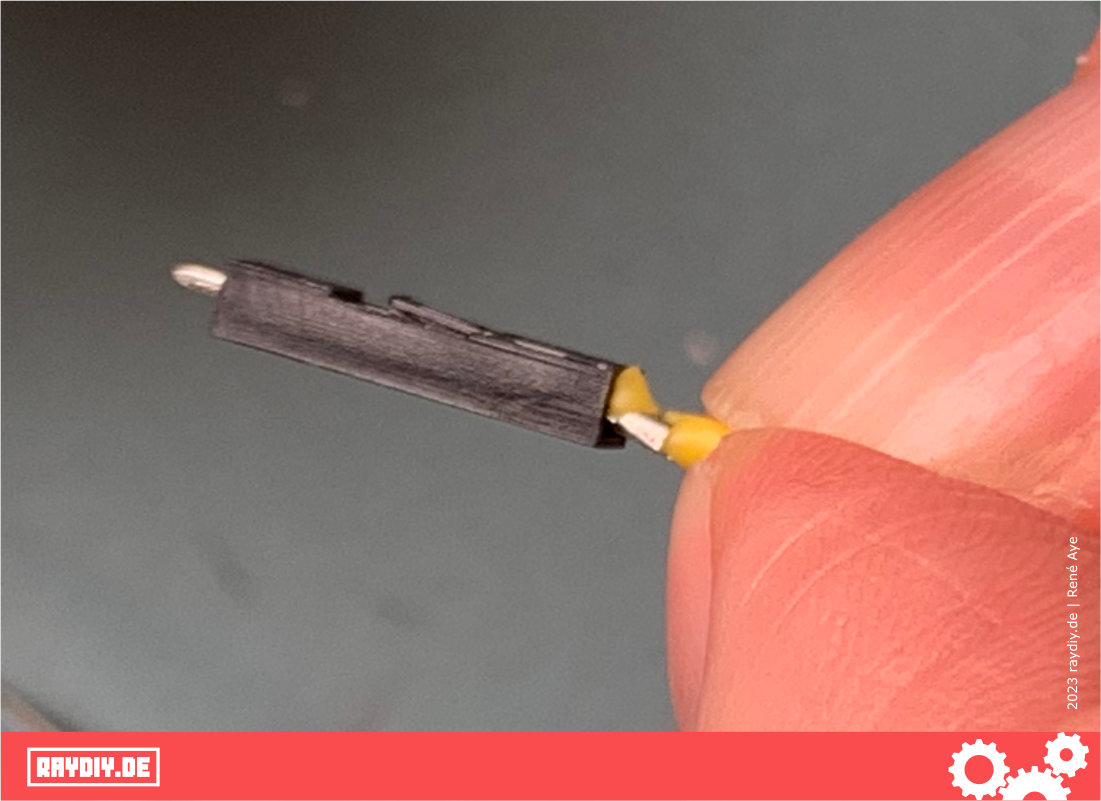
Now just slide the housing over the pin. With the Dupont connector you'll also hear a quiet click. When you hear it, you know you've made it.
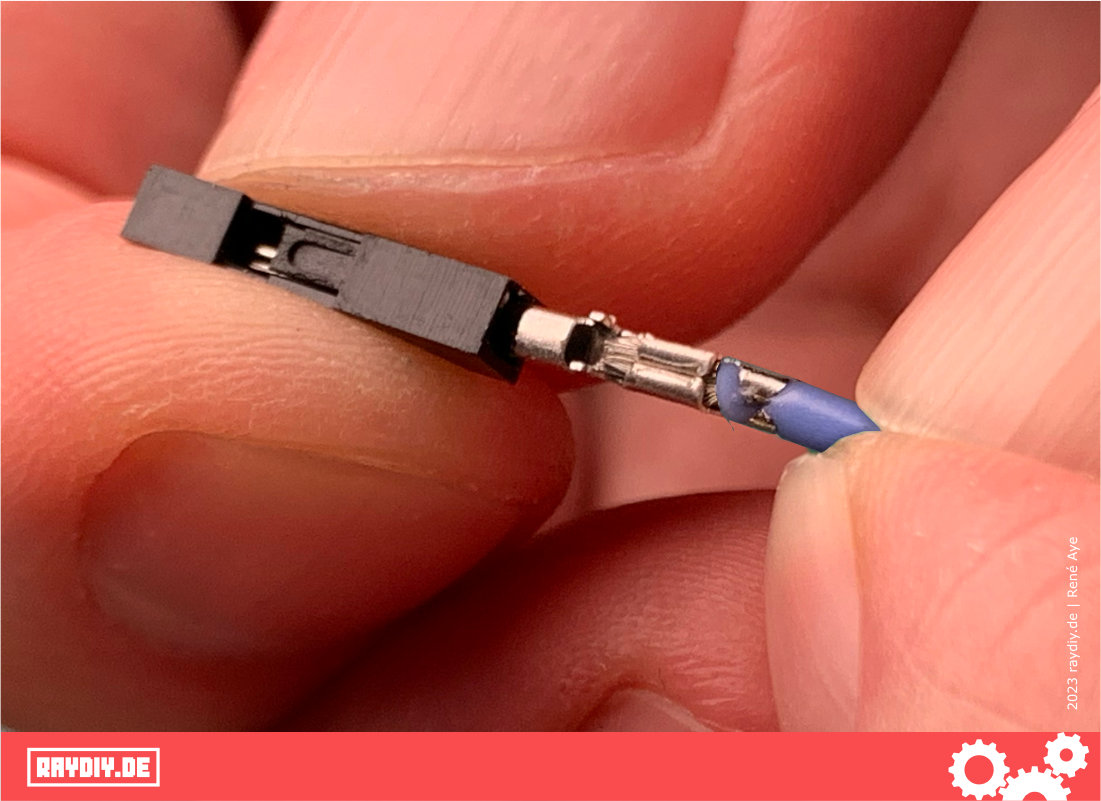
If the housing won't slide over it, but the tip of the connector is already poking out of the housing, you can try pulling on it with the crimping tool.
Sometimes it just gets stuck. In that case I cheat and simply crimp again with the next smaller opening of the crimping tool. After that, it usually doesn't get stuck anymore.
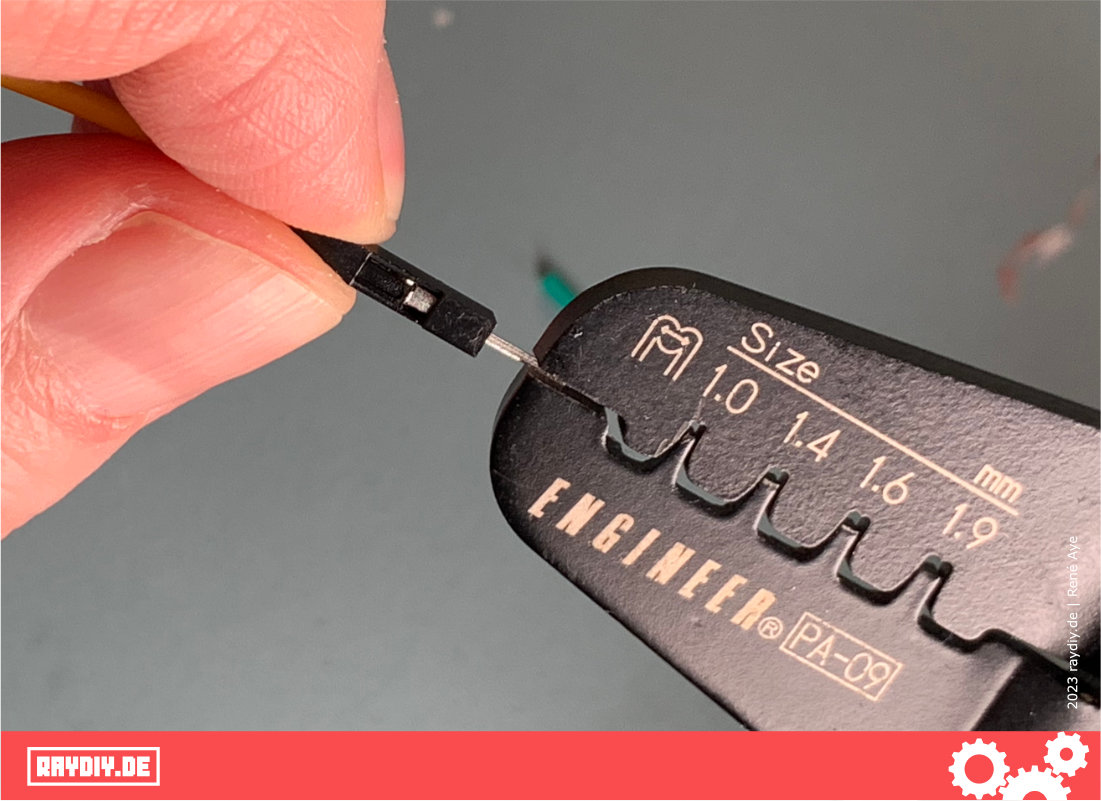
By the way: I've seen tutorials where the insulation isn't crimped in. That could be interesting especially with the somewhat tricky, thicker silicone sheath. In that case, the wire is only inserted until the insulation hits the crimp wings.
Of course, you then have to strip a bit more insulation. With this Dupont pin, that would be 5 to 6 mm.
I don't know if that's correct. I'm not a professional crimper either. In my tests, it worked well this way too. However, with the Dupont pin I then used the 1.6 mm opening of the crimping tool.
Online, though, the clear majority belongs to the camp that crimps the insulation in as well.
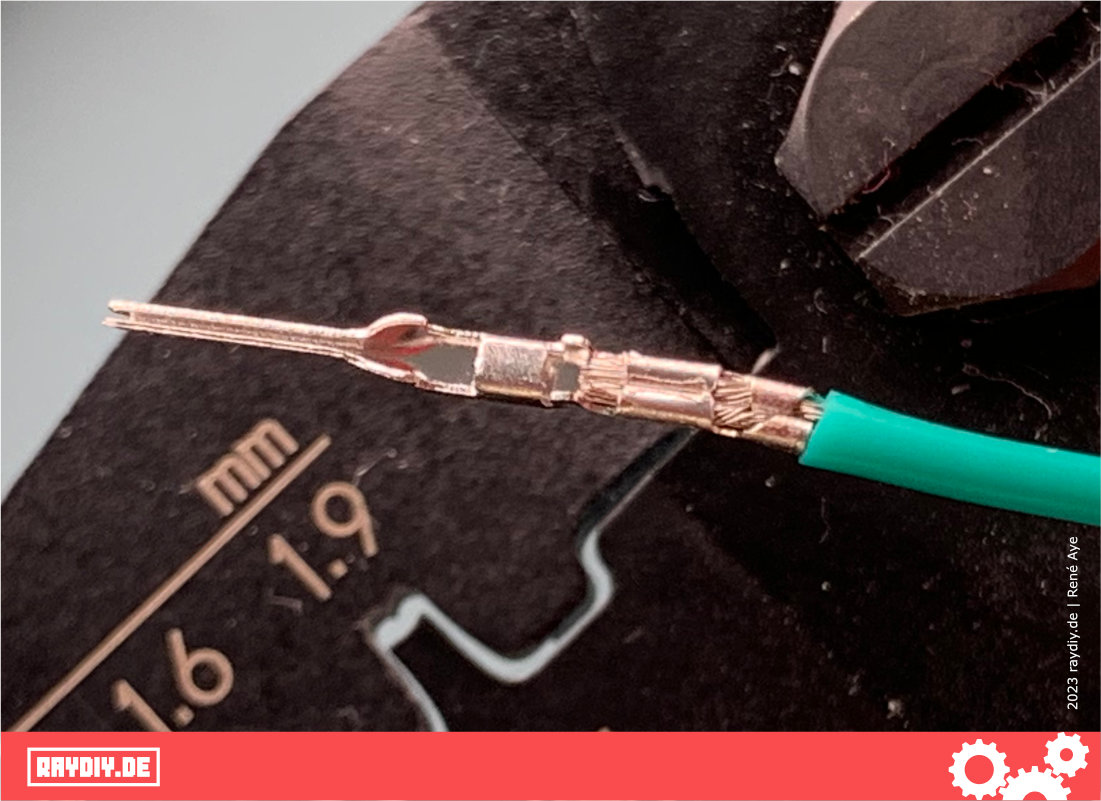
And that's the crimping done. It works the same way in principle for other connector types. You just have to figure out how much insulation to remove and which opening of the crimping tool works best. And as I said: it won't work the first time, so don't give up right away!
How to Reopen Dupont Connectors
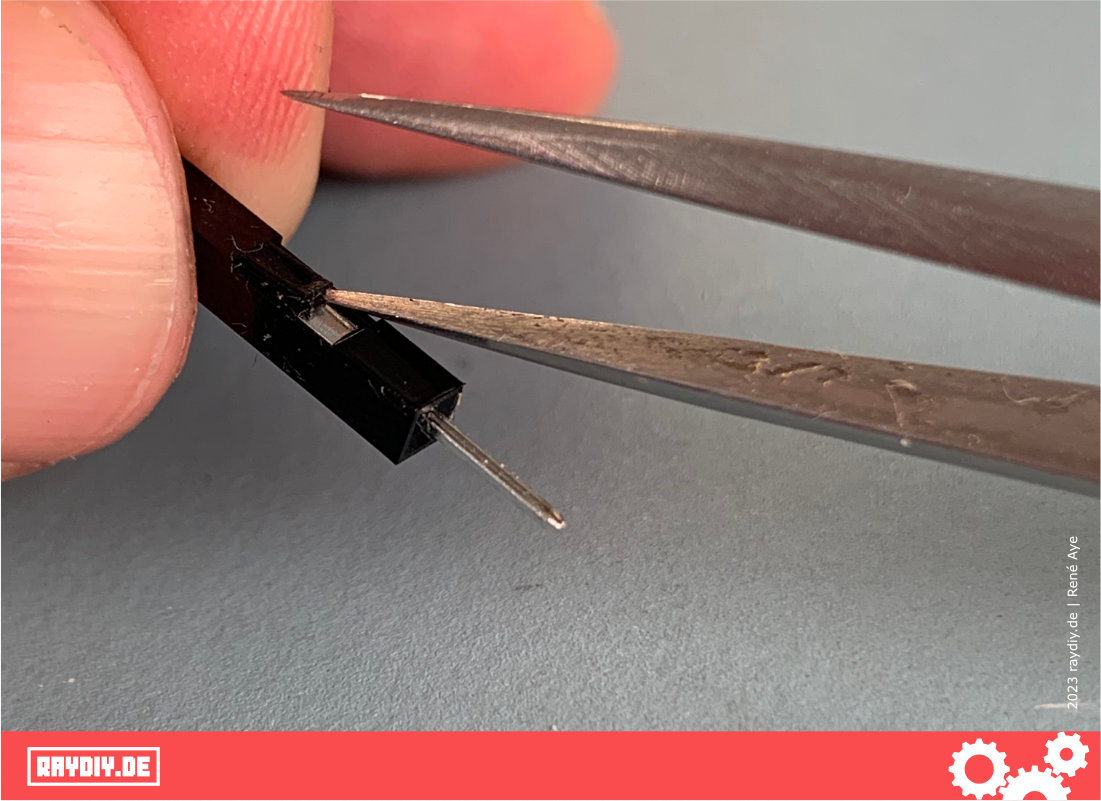
Sometimes you want to open a connector again. That's usually possible, too. You just need to lift the latch that holds the pin with a pointed object, and then you can pull the wire back out of the housing. A bit fiddly, but it works.
ENGINEER PA-09 Crimping Pliers*

Amazon Link*
*
This link is an affiliate link. As an Amazon Partner, I earn from qualified sales.
Links & Product Recommendations
Links from the article, summarized for you
Product recommendations from this article
Links on Power Supply
RAYDIY Newsletter
Subscribe now
and get a free eBook!